



Get a QuoteGet a Quote

[Our Blogs]

iOS App Development: How to Build a Successful iPhone App From Idea to Launch

The right technology decision starts long before development begins. Practical insight on building mobile apps, AI products, custom software and cloud platforms — aimed at the questions businesses need answered before they invest.

Blog29 October 20269 minute read
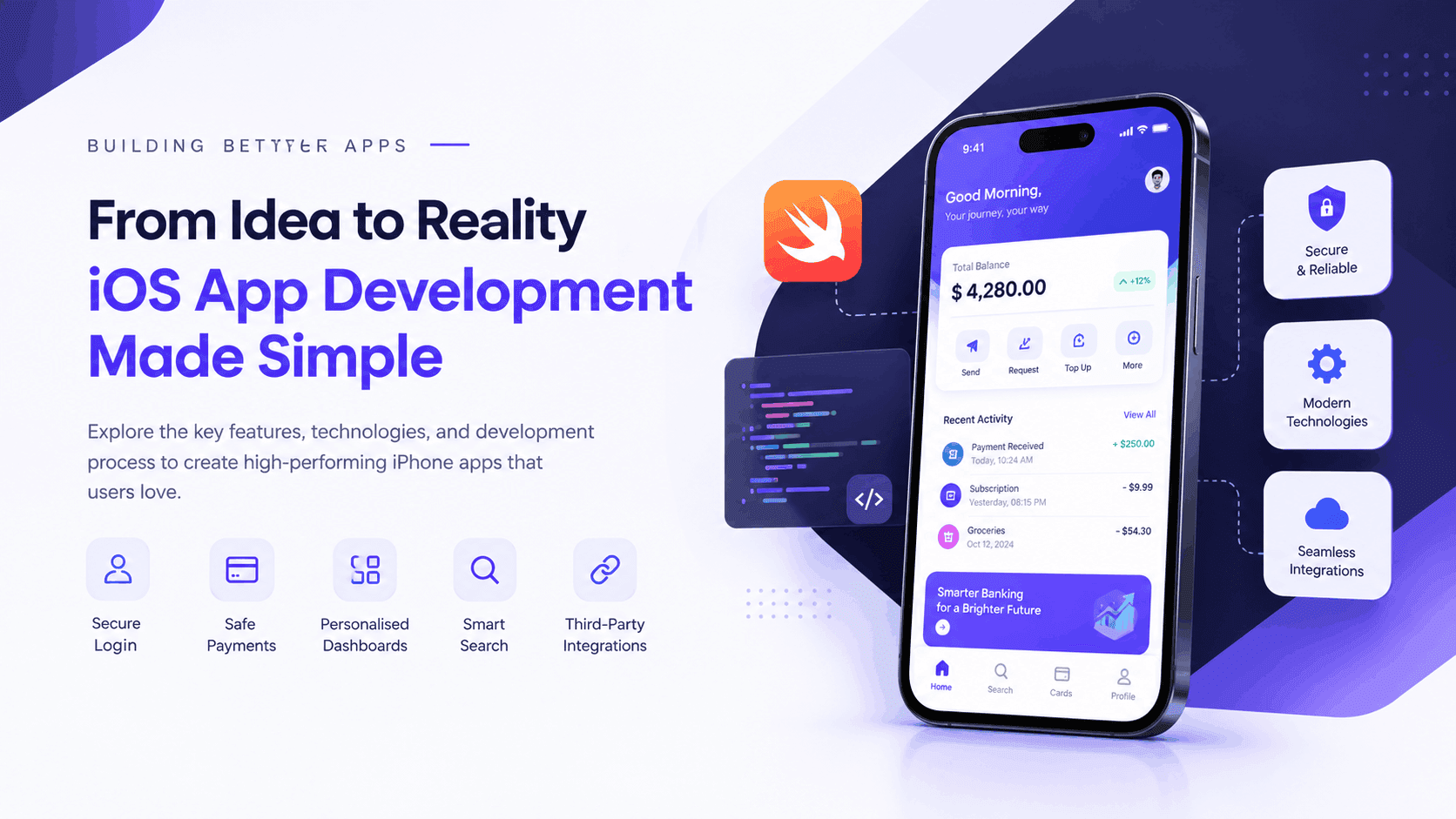
iOS app development banner featuring a modern iPhone, coding tools, secure authentication, and essential features for building successful mobile apps.

Building a successful iPhone app from a creative idea involves much more than simply writing code.

It involves understanding your audience, selecting the right technologies, designing an intuitive interface, and delivering an experience that solves real problems. Whether you are a startup founder planning your first mobile application or an established business expanding into the Apple ecosystem, iOS app development offers opportunities to connect with customers, streamline operations, and introduce new digital services. However, building an iPhone app without proper planning can lead to unnecessary expenses, technical challenges, and disappointing user engagement. Therefore, understanding the complete development process is essential before investing in your project.

This guide explains how to develop an iOS app from concept to App Store launch, including development technologies, essential features, estimated costs, and practical strategies for long-term success.

What Is iOS App Development?

iOS app development is the process of designing, building, testing, and launching mobile applications for Apple's iPhone operating system. Developers combine coding languages, specialised frameworks, and development tools to build applications that address users' specific requirements.

Typically, native iOS applications are developed using Swift, SwiftUI, UIKit, and Apple's Xcode development environment.

Moreover, businesses can develop different types of iPhone applications, including:

  • E-commerce and mobile shopping applications
  • Healthcare and fitness tracking apps
  • Financial technology and mobile banking solutions
  • Social networking and messaging platforms
  • On-demand delivery and booking applications
  • AI-powered productivity and business applications

Consequently, choosing the right application category and understanding customer expectations are important foundations for a successful product.

Step 1: Validate Your iPhone App Idea

Before beginning development, determine whether your application addresses a genuine problem. Although an idea might sound promising, its commercial potential depends on market demand, usability, and competition.

Start by identifying your target audience. Consider their everyday challenges, preferences, and existing solutions. Next, conduct competitor research by examining similar applications available on the Apple App Store.

For example, if you are planning to build the best iOS chat app for a specific audience, examine popular messaging platforms to understand expectations around privacy, message delivery, group conversations, and user experience.

Additionally, interview potential customers or distribute short surveys to gather direct feedback. Most importantly, define your application's unique value proposition. Explain why users should choose your product instead of an established alternative.

Step 2: Define Core App Features and Develop a Minimum Viable Product (MVP)

Once your idea is validated, the next step is defining your application's functionality. Rather than developing every possible feature immediately, focus on creating a Minimum Viable Product (MVP).

An MVP is an initial version of your application containing the essential features needed to deliver value and gather user feedback. For instance, an iOS messaging app MVP might include account registration, one-to-one messaging, push notifications, and basic privacy controls.

Meanwhile, advanced capabilities such as AI-powered chat assistance, video calling, and automated translation can be introduced later.

Essential features of an iPhone app often include secure user login, safe payment processing, customised dashboards, advanced search options, and seamless integration with third-party services.

Focusing on core functionalities allows businesses to manage development costs, simplify the development process, and assess their app's potential before committing to further growth.

Step 3: Choose the Right iOS App Development Technologies

Selecting an appropriate technology stack directly influences application performance, scalability, and maintenance. Apple offers a range of advanced tools and frameworks that enable developers to create high-performing native iPhone apps.

Swift Programming Language

Swift is Apple's modern programming language for developing applications across its platforms. Because it supports strong type safety and modern programming practices, Swift is widely used for building reliable, maintainable iOS applications.

SwiftUI and UIKit

SwiftUI simplifies user interface development by allowing developers to design interactive app screens using flexible, reusable elements. In contrast, UIKit provides mature interface capabilities and remains relevant for existing applications and specialised requirements.

Xcode Development Environment

Xcode provides tools for writing code, debugging applications, testing performance, and preparing software for distribution through the App Store.

Furthermore, developers may integrate cloud databases, analytics platforms, authentication services, and AI APIs depending on the application's requirements.

Step 4: Design an Intuitive iPhone App Experience

Even a technically advanced application can struggle if users find it confusing. Therefore, user interface (UI) and user experience (UX) design should be considered early in the development process.

Begin with wireframes that outline screen layouts, navigation paths, and important interactions. Afterward, create interactive prototypes to demonstrate how users will move through the application.

An effective iPhone app design should provide clear navigation, readable typography, consistent visual elements, accessible controls, and responsive interactions. Additionally, designers should consider different iPhone screen sizes, accessibility settings, and Apple's Human Interface Guidelines.

Ultimately, the goal is to minimise friction and help users complete tasks efficiently.

Step 5: Develop Your iOS Application

Once the designs are finalised and technical specifications are established, the development team can move forward with creating the application. Generally, development includes two major components.

Frontend development involves creating the visual and interactive parts of an application, such as its layout, navigation menus, buttons, and animations. Backend development, meanwhile, manages server-side operations such as databases, user accounts, business logic, and API communication.

For example, an online shopping application requires a frontend for browsing products and a backend for managing inventory, orders, and customer information.

Furthermore, iOS developers should implement secure authentication, encrypted communication, and appropriate data protection measures. Using modular architecture and reusable components can also make future updates easier.

Step 6: Test Your iPhone App Before Launch

Thorough testing allows developers to detect and resolve technical problems before the application reaches its intended audience. Therefore, quality assurance should continue throughout development rather than beginning only after coding is complete.

Important testing activities include:

  • Performance testing: evaluates speed, responsiveness, and resource usage.
  • Security testing: identifies vulnerabilities and data protection weaknesses.
  • Usability testing: examines how easily users navigate the application.
  • Compatibility testing: checks behaviour across supported iPhone devices and iOS versions.

Additionally, Apple's TestFlight platform allows developers to distribute beta versions to testers before public release. Apple also recommends combining unit, integration, and UI testing to identify different types of software defects.

Consequently, thorough testing reduces avoidable launch problems and improves product reliability.

Step 7: Launch Your Application on the Apple App Store

After completing development and testing, the application can be prepared for App Store submission. First, developers configure the application in App Store Connect.

Next, they prepare essential listing information, including the app name, description, screenshots, keywords, privacy details, and age rating. Moreover, applications must comply with Apple's App Review Guidelines, which cover functionality, safety, privacy, design, and other requirements.

Once the submission is ready, the development team selects the appropriate build and submits it for review. However, App Store approval is not automatic. Applications may require corrections or additional information before publication.

Therefore, reviewing Apple's requirements early can help avoid unnecessary delays.

How Much Does iOS App Development Cost?

The cost of building an iPhone app depends on its complexity, design requirements, integrations, and development team. For preliminary budgeting, businesses might consider the following illustrative ranges:

App complexityEstimated development cost
Basic iOS application$10,000 - $25,000
Medium-complexity application$25,000 - $75,000
Advanced or enterprise application$75,000 - $200,000+

These figures are broad planning estimates rather than verified market averages or fixed quotations. Additionally, businesses should budget for hosting, ongoing maintenance, security improvements, and future feature development.

As a result, a clearly defined MVP and development roadmap can help prevent unexpected expenses.

Why Choose Professional iOS App Development Services?

Building a successful application requires expertise in programming, product strategy, interface design, testing, and deployment. Professional iOS app development services bring these capabilities together within a structured development process.

For example, an experienced development team can help businesses evaluate technical feasibility, select suitable frameworks, establish realistic milestones, and prepare applications for future growth. Furthermore, professional developers can assist with API integrations, cloud infrastructure, performance optimisation, and post-launch support.

When evaluating an iOS development company, review its portfolio, technical experience, communication process, testing practices, and maintenance offerings.

At App Vertices, businesses can explore iOS app development solutions tailored to their product requirements and business objectives.

Frequently Asked Questions About iOS App Development

Is native iOS development better than cross-platform development?

Native development is often suitable for applications requiring deep Apple platform integration. Conversely, cross-platform frameworks such as Flutter and React Native may be useful when businesses need to serve both iOS and Android users with substantial shared code.

What features should a successful iPhone app include?

A successful iPhone app should prioritise intuitive navigation, reliable performance, appropriate security, accessibility, and functionality that addresses a clear user need.

Can I develop an iOS app without coding experience?

Yes. No-code and low-code platforms can support certain simple applications. However, complex functionality, specialised integrations, and advanced performance requirements often benefit from professional development.

Which programming language is most suitable for developing iOS apps?

Swift is generally the preferred language for new native iOS applications because it integrates with Apple's development ecosystem and supports modern application development.

What is the typical timeline for building an iOS application?

A basic iOS application may take approximately two to four months, while complex applications can require six months or longer. However, the actual timeline depends on features, integrations, team capacity, and testing requirements.

Final Thoughts

Successful iOS app development begins with understanding the problem your application will solve. From validating your idea and selecting essential features to designing interfaces, testing functionality, and launching on the App Store, every stage contributes to the final product.

Moreover, investing in the right technology, experienced developers, and continuous improvements can help create an application that remains valuable as customer expectations evolve.

Ready to turn your iPhone app idea into a functional product? Explore professional iOS app development services at App Vertices and take the next step toward building your mobile application.

Merry Lana

Digital and AI Content Strategist

Subscription: Subscribe to our newsletter and receive a selection of cool articles every weeks

[Our Blogs]

iOS App Development: How to Build a Successful iPhone App From Idea to Launch

The right technology decision starts long before development begins. Practical insight on building mobile apps, AI products, custom software and cloud platforms — aimed at the questions businesses need answered before they invest.

  • Blog
  • 29 October 2026
  • 9 minute read
iOS app development banner featuring a modern iPhone, coding tools, secure authentication, and essential features for building successful mobile apps.

Building a successful iPhone app from a creative idea involves much more than simply writing code.

It involves understanding your audience, selecting the right technologies, designing an intuitive interface, and delivering an experience that solves real problems. Whether you are a startup founder planning your first mobile application or an established business expanding into the Apple ecosystem, iOS app development offers opportunities to connect with customers, streamline operations, and introduce new digital services. However, building an iPhone app without proper planning can lead to unnecessary expenses, technical challenges, and disappointing user engagement. Therefore, understanding the complete development process is essential before investing in your project.

This guide explains how to develop an iOS app from concept to App Store launch, including development technologies, essential features, estimated costs, and practical strategies for long-term success.

What Is iOS App Development?

iOS app development is the process of designing, building, testing, and launching mobile applications for Apple's iPhone operating system. Developers combine coding languages, specialised frameworks, and development tools to build applications that address users' specific requirements.

Typically, native iOS applications are developed using Swift, SwiftUI, UIKit, and Apple's Xcode development environment.

Moreover, businesses can develop different types of iPhone applications, including:

  • E-commerce and mobile shopping applications
  • Healthcare and fitness tracking apps
  • Financial technology and mobile banking solutions
  • Social networking and messaging platforms
  • On-demand delivery and booking applications
  • AI-powered productivity and business applications

Consequently, choosing the right application category and understanding customer expectations are important foundations for a successful product.

Step 1: Validate Your iPhone App Idea

Before beginning development, determine whether your application addresses a genuine problem. Although an idea might sound promising, its commercial potential depends on market demand, usability, and competition.

Start by identifying your target audience. Consider their everyday challenges, preferences, and existing solutions. Next, conduct competitor research by examining similar applications available on the Apple App Store.

For example, if you are planning to build the best iOS chat app for a specific audience, examine popular messaging platforms to understand expectations around privacy, message delivery, group conversations, and user experience.

Additionally, interview potential customers or distribute short surveys to gather direct feedback. Most importantly, define your application's unique value proposition. Explain why users should choose your product instead of an established alternative.

Step 2: Define Core App Features and Develop a Minimum Viable Product (MVP)

Once your idea is validated, the next step is defining your application's functionality. Rather than developing every possible feature immediately, focus on creating a Minimum Viable Product (MVP).

An MVP is an initial version of your application containing the essential features needed to deliver value and gather user feedback. For instance, an iOS messaging app MVP might include account registration, one-to-one messaging, push notifications, and basic privacy controls.

Meanwhile, advanced capabilities such as AI-powered chat assistance, video calling, and automated translation can be introduced later.

Essential features of an iPhone app often include secure user login, safe payment processing, customised dashboards, advanced search options, and seamless integration with third-party services.

Focusing on core functionalities allows businesses to manage development costs, simplify the development process, and assess their app's potential before committing to further growth.

Step 3: Choose the Right iOS App Development Technologies

Selecting an appropriate technology stack directly influences application performance, scalability, and maintenance. Apple offers a range of advanced tools and frameworks that enable developers to create high-performing native iPhone apps.

Swift Programming Language

Swift is Apple's modern programming language for developing applications across its platforms. Because it supports strong type safety and modern programming practices, Swift is widely used for building reliable, maintainable iOS applications.

SwiftUI and UIKit

SwiftUI simplifies user interface development by allowing developers to design interactive app screens using flexible, reusable elements. In contrast, UIKit provides mature interface capabilities and remains relevant for existing applications and specialised requirements.

Xcode Development Environment

Xcode provides tools for writing code, debugging applications, testing performance, and preparing software for distribution through the App Store.

Furthermore, developers may integrate cloud databases, analytics platforms, authentication services, and AI APIs depending on the application's requirements.

Step 4: Design an Intuitive iPhone App Experience

Even a technically advanced application can struggle if users find it confusing. Therefore, user interface (UI) and user experience (UX) design should be considered early in the development process.

Begin with wireframes that outline screen layouts, navigation paths, and important interactions. Afterward, create interactive prototypes to demonstrate how users will move through the application.

An effective iPhone app design should provide clear navigation, readable typography, consistent visual elements, accessible controls, and responsive interactions. Additionally, designers should consider different iPhone screen sizes, accessibility settings, and Apple's Human Interface Guidelines.

Ultimately, the goal is to minimise friction and help users complete tasks efficiently.

Step 5: Develop Your iOS Application

Once the designs are finalised and technical specifications are established, the development team can move forward with creating the application. Generally, development includes two major components.

Frontend development involves creating the visual and interactive parts of an application, such as its layout, navigation menus, buttons, and animations. Backend development, meanwhile, manages server-side operations such as databases, user accounts, business logic, and API communication.

For example, an online shopping application requires a frontend for browsing products and a backend for managing inventory, orders, and customer information.

Furthermore, iOS developers should implement secure authentication, encrypted communication, and appropriate data protection measures. Using modular architecture and reusable components can also make future updates easier.

Step 6: Test Your iPhone App Before Launch

Thorough testing allows developers to detect and resolve technical problems before the application reaches its intended audience. Therefore, quality assurance should continue throughout development rather than beginning only after coding is complete.

Important testing activities include:

  • Performance testing: evaluates speed, responsiveness, and resource usage.
  • Security testing: identifies vulnerabilities and data protection weaknesses.
  • Usability testing: examines how easily users navigate the application.
  • Compatibility testing: checks behaviour across supported iPhone devices and iOS versions.

Additionally, Apple's TestFlight platform allows developers to distribute beta versions to testers before public release. Apple also recommends combining unit, integration, and UI testing to identify different types of software defects.

Consequently, thorough testing reduces avoidable launch problems and improves product reliability.

Step 7: Launch Your Application on the Apple App Store

After completing development and testing, the application can be prepared for App Store submission. First, developers configure the application in App Store Connect.

Next, they prepare essential listing information, including the app name, description, screenshots, keywords, privacy details, and age rating. Moreover, applications must comply with Apple's App Review Guidelines, which cover functionality, safety, privacy, design, and other requirements.

Once the submission is ready, the development team selects the appropriate build and submits it for review. However, App Store approval is not automatic. Applications may require corrections or additional information before publication.

Therefore, reviewing Apple's requirements early can help avoid unnecessary delays.

How Much Does iOS App Development Cost?

The cost of building an iPhone app depends on its complexity, design requirements, integrations, and development team. For preliminary budgeting, businesses might consider the following illustrative ranges:

App complexityEstimated development cost
Basic iOS application$10,000 - $25,000
Medium-complexity application$25,000 - $75,000
Advanced or enterprise application$75,000 - $200,000+

These figures are broad planning estimates rather than verified market averages or fixed quotations. Additionally, businesses should budget for hosting, ongoing maintenance, security improvements, and future feature development.

As a result, a clearly defined MVP and development roadmap can help prevent unexpected expenses.

Why Choose Professional iOS App Development Services?

Building a successful application requires expertise in programming, product strategy, interface design, testing, and deployment. Professional iOS app development services bring these capabilities together within a structured development process.

For example, an experienced development team can help businesses evaluate technical feasibility, select suitable frameworks, establish realistic milestones, and prepare applications for future growth. Furthermore, professional developers can assist with API integrations, cloud infrastructure, performance optimisation, and post-launch support.

When evaluating an iOS development company, review its portfolio, technical experience, communication process, testing practices, and maintenance offerings.

At App Vertices, businesses can explore iOS app development solutions tailored to their product requirements and business objectives.

Frequently Asked Questions About iOS App Development

Is native iOS development better than cross-platform development?

Native development is often suitable for applications requiring deep Apple platform integration. Conversely, cross-platform frameworks such as Flutter and React Native may be useful when businesses need to serve both iOS and Android users with substantial shared code.

What features should a successful iPhone app include?

A successful iPhone app should prioritise intuitive navigation, reliable performance, appropriate security, accessibility, and functionality that addresses a clear user need.

Can I develop an iOS app without coding experience?

Yes. No-code and low-code platforms can support certain simple applications. However, complex functionality, specialised integrations, and advanced performance requirements often benefit from professional development.

Which programming language is most suitable for developing iOS apps?

Swift is generally the preferred language for new native iOS applications because it integrates with Apple's development ecosystem and supports modern application development.

What is the typical timeline for building an iOS application?

A basic iOS application may take approximately two to four months, while complex applications can require six months or longer. However, the actual timeline depends on features, integrations, team capacity, and testing requirements.

Final Thoughts

Successful iOS app development begins with understanding the problem your application will solve. From validating your idea and selecting essential features to designing interfaces, testing functionality, and launching on the App Store, every stage contributes to the final product.

Moreover, investing in the right technology, experienced developers, and continuous improvements can help create an application that remains valuable as customer expectations evolve.

Ready to turn your iPhone app idea into a functional product? Explore professional iOS app development services at App Vertices and take the next step toward building your mobile application.

Merry LanaDigital and AI Content Strategist

Subscription: Subscribe to our newsletter and receive a selection of cool articles every weeks

The Latest

You May Also Like