



Get a QuoteGet a Quote

[Our Blogs]

Want to Build the Best Offline Music App? Here's Everything You Need to Know

The right technology decision starts long before development begins. Practical insight on building mobile apps, AI products, custom software and cloud platforms — aimed at the questions businesses need answered before they invest.

Blog16 November 202614 minute read
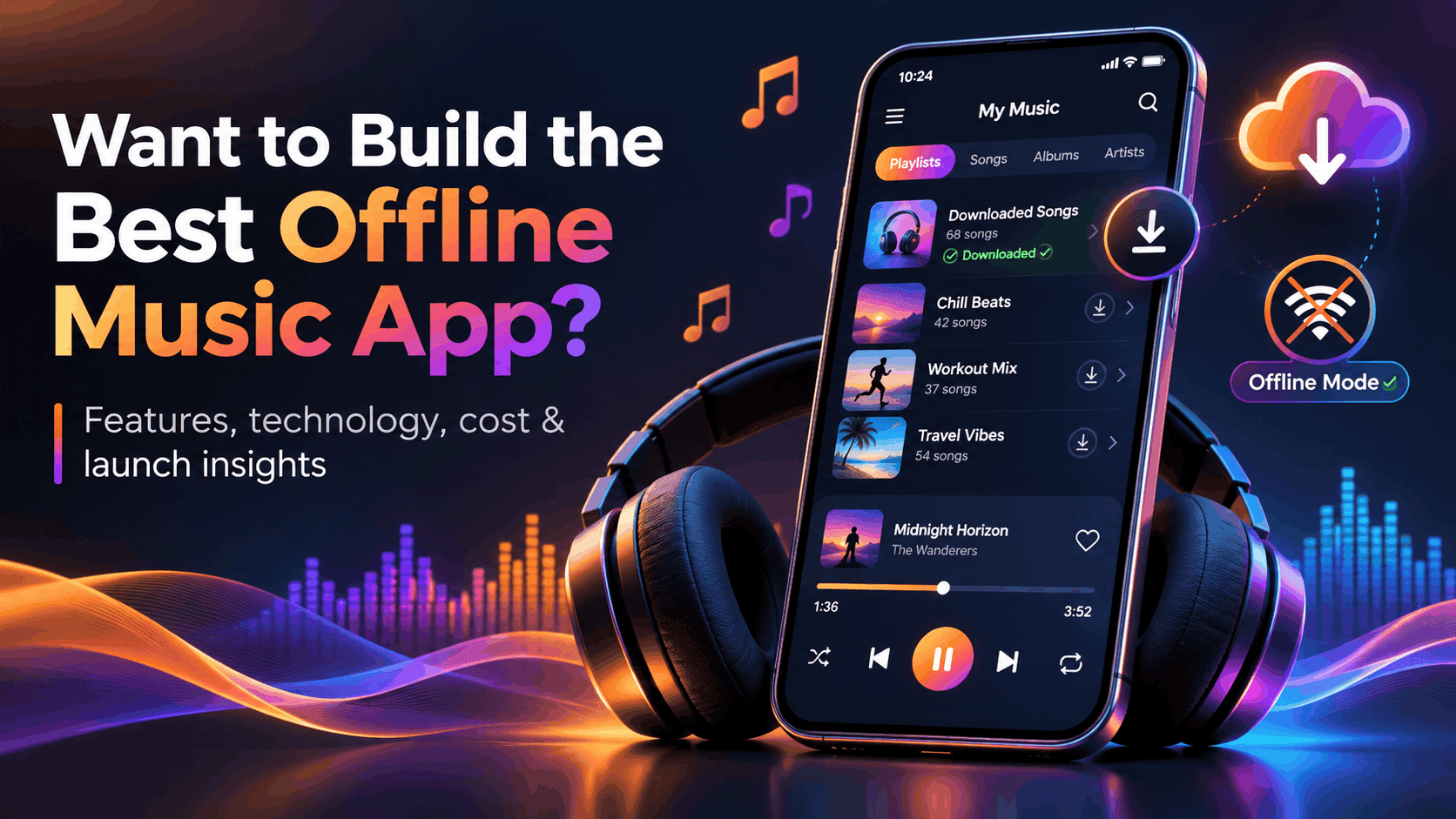
Smartphone displaying an offline music player with downloaded playlists and playback controls

Imagine listening to your favorite playlist during a long flight, only for the music to stop because your internet connection disappears. Or picture someone commuting through areas with unreliable mobile coverage, constantly dealing with interrupted songs and buffering.

These everyday frustrations explain why offline listening remains an important feature in modern music applications.

For startups and businesses, developing the best offline music app means more than creating a basic audio player. It involves reliable music downloads, intuitive navigation, secure content storage, and smooth playback across supported devices.

However, building a successful application also requires the right technology, a sustainable business model, and a clear understanding of music licensing.

This guide explains the essential features, development process, technology options, estimated costs, and practical strategies for launching a competitive offline music application.

What Is an Offline Music App and How Does It Work?

An offline music app is a mobile or desktop application that allows users to listen to audio stored on their devices without requiring an active internet connection. Depending on its business model, the app can play locally imported files or provide authorized downloads from a licensed music catalog.

There are three common approaches:

  • Local music players: Play audio files users already own or have permission to access.
  • Download-enabled streaming apps: Allow eligible users to save licensed songs for offline playback, subject to service restrictions.
  • Online-only streaming apps: Deliver music over the internet without offering persistent offline access.

How Does Offline Playback Work?

When users download authorized content, the application stores playable audio data locally.

The playback engine then reads this data instead of requesting the audio from a remote server.

A typical process involves downloading music, saving the files or protected segments, updating the local library, and playing the content through the device's audio system.

When connectivity returns, the application can synchronize playlists, listening progress, and subscription information.

Important: Offline availability does not automatically grant ownership of downloaded music. Commercial services may require licensing agreements, digital rights management (DRM), and periodic authorization checks.

Why Are Businesses Investing in Offline Music App Development?

Offline music app development offers opportunities for businesses looking to solve specific listening problems.

A well-designed offline experience can make a music platform more useful to people who travel frequently, have limited mobile data, or live in areas with inconsistent connectivity.

For businesses, potential advantages include:

  • Improved listening convenience: Users can access downloaded content without buffering.
  • Subscription opportunities: Authorized offline downloads can become part of a premium membership.
  • Niche audience targeting: Specialized platforms can serve independent artists, educational institutions, meditation audiences, or regional music communities.
  • Branded experiences: Businesses can offer curated audio libraries through their own applications.
  • Stronger product engagement: Convenient access may encourage repeat usage when supported by valuable content.

For example, a startup could launch a regional music platform featuring licensed independent artists rather than competing immediately with global streaming services.

The objective should be solving a clearly defined audience problem, not simply reproducing the features of established platforms.

Essential Features of the Best Offline Music App

The best offline music app should balance dependable playback, usability, security, and practical storage management.

The following features deserve consideration during product planning.

1. Offline Music Downloads and Playback

Users should be able to download permitted songs and play them without an active connection.

The application should also handle interrupted downloads, incomplete files, and playback errors gracefully.

MVP priority: Essential.

2. Smart Playlists and Library Organization

Users need simple ways to organize songs by artist, album, genre, and playlist.

Features such as favorites, recently played tracks, and custom playlists improve navigation.

MVP priority: Essential.

3. Advanced Music Search and Filtering

Search functionality should help users find songs, albums, and artists quickly.

For offline mode, the app should provide local-library search even when cloud-based catalog search is unavailable.

4. High-Quality Audio Playback

A reliable audio engine should support suitable formats, consistent playback, and appropriate audio quality settings.

Higher-bitrate audio improves fidelity in some listening conditions but consumes additional storage.

5. Personalized Music Recommendations

Recommendations can use listening history, favorite genres, and user preferences to suggest relevant content.

For an MVP, manually curated playlists may be more practical than building an advanced recommendation system.

6. Background Playback and Lock-Screen Controls

Music should continue playing while users navigate other applications or lock their devices.

Playback controls should integrate with supported system interfaces and respond appropriately to calls, headphones, and audio interruptions.

7. Secure Local Storage and Content Protection

Licensed downloads may require encryption, protected storage, and DRM-based access controls.

Sensitive account credentials and authentication tokens should never be stored insecurely.

8. Download Management and Storage Optimization

Users should be able to pause, resume, remove, and monitor downloads.

Wi-Fi-only downloading, storage warnings, and adjustable audio quality can help manage device resources.

9. Subscription and Payment Integration

Premium applications may require subscription management, purchase verification, renewal handling, and entitlement checks.

Payment implementation must follow relevant app marketplace policies.

10. Synchronization Across Devices

Cloud synchronization can maintain playlists, preferences, and listening history across supported devices.

However, downloaded audio usually requires separate storage and authorization on each device.

Development recommendation: Prioritize playback reliability, downloads, playlists, basic search, and storage controls before investing in advanced personalization or sophisticated social features.

How to Build the Best Offline Music App: Step-by-Step Development Process

Building a reliable application requires a clear development roadmap. These seven steps help businesses move from an initial concept to a functional product.

Step 1: Identify Your Target Audience

Start by understanding who will use your application and why.

Research listening habits, preferred devices, internet availability, and existing music app frustrations.

Study competitors to identify unmet needs rather than copying their interfaces.

For example, a music app serving students may prioritize affordable subscriptions and lightweight downloads.

Step 2: Choose Your Business Model

Your business model directly influences development requirements.

Common options include:

  • Free music players for user-provided audio
  • Freemium applications with premium upgrades
  • Subscription-based licensed music platforms
  • Specialized music services for defined communities

Before selecting a paid catalog model, evaluate music licensing costs, geographic restrictions, and distribution permissions.

Step 3: Plan the Music App UI/UX Design

Create wireframes showing how users discover music, manage playlists, and download tracks.

Keep primary actions easy to access, including play, pause, skip, download, and remove.

Clearly distinguish downloaded music from tracks that require internet access.

Accessible controls, readable typography, and informative error messages should be included from the beginning.

Step 4: Select the Development Technology

Choose the technical framework according to your target platforms, budget, and functionality.

TechnologyPrimary advantageBest suited for
Swift and native iOS frameworksDeep Apple platform integrationiPhone-focused applications
Kotlin and Android frameworksFlexible Android media integrationAndroid-focused applications
FlutterShared UI code across platformsCross-platform products
React NativeShared JavaScript/TypeScript application logicCross-platform teams

Even with cross-platform frameworks, complex media playback features may require native integrations.

Step 5: Develop Offline Playback Functionality

This is the technical foundation of your application.

Implement an audio playback engine, controlled download queue, local media database, and appropriate file storage.

For licensed streaming content, establish download authorization and content protection before distributing files.

The system should also recover from interrupted downloads without unnecessarily restarting completed transfers.

Step 6: Integrate Backend Services

Depending on your product, backend services may manage:

  • User authentication and profiles
  • Music catalog metadata
  • Subscription entitlements
  • Playlist synchronization
  • Download permissions
  • Content availability by region

Cloud services can support account data and catalog delivery, while the application handles playback of downloaded content locally.

Step 7: Test and Launch the Application

Test the application on real devices under realistic listening conditions.

Important scenarios include airplane mode, unstable Wi-Fi, low storage, app restarts, incoming calls, Bluetooth interruptions, and expired subscriptions.

Monitor battery consumption and confirm that downloads remain playable under their authorized conditions.

Finally, review App Store and Google Play requirements before submission.

Practical advice: Validate licensing, download permissions, and your core playback architecture before committing to expensive interface features.

Android vs. iOS: Which Platform Should You Develop First?

Both platforms can support excellent offline music experiences, but their technical requirements differ.

Android App Development

Native android app development commonly uses Kotlin alongside Android's Media3 and ExoPlayer libraries.

These technologies support audio playback, media sessions, downloads, and integration with Android system controls.

Developers must account for device variation, storage access, foreground-service rules, and background activity restrictions.

iOS Music App Development

When users search for the best offline music app for iPhone, they often expect reliable downloads, clean navigation, and seamless background playback.

Native iOS applications commonly use Swift and Apple's AVFoundation frameworks.

Developers must configure audio sessions, background capabilities, and appropriate local storage handling.

Meanwhile, people searching for the best free music app for iPhone may be interested in applications that play their existing audio files without requiring a paid streaming subscription.

Which should you choose? Start with the platform your target audience uses most. If research shows meaningful demand across both platforms, consider a shared-code approach while validating platform-specific media features.

Can Your Offline Music App Work Across iPhone, Android, and Windows?

Yes. A music application can support iPhone, Android, and Windows through compatible native applications or selected cross-platform technologies.

The apple music windows app illustrates the expectation that users should be able to access music services across mobile and desktop environments.

However, cross-device synchronization and offline audio availability are different requirements.

A synchronized playlist does not necessarily mean its downloaded files will transfer between devices. Licensing, device authorization, DRM, and storage policies may restrict access.

For most startups, launching on mobile first can simplify development. Windows support becomes more relevant when desktop listening is important to the target audience.

How Much Does It Cost to Develop an Offline Music App?

Offline music app development costs depend on application complexity, supported platforms, content licensing, and backend requirements.

A basic local music player is considerably simpler than a subscription platform offering licensed downloads across multiple devices.

The following figures are illustrative planning estimates in USD, not verified vendor quotes or guaranteed market prices.

Application scopeIllustrative development budgetTypical functionality
Basic MVP$15,000-$35,000Local playback, playlists, search, basic interface
Mid-level application$35,000-$80,000Authorized downloads, accounts, backend, subscriptions
Advanced platform$80,000-$200,000+Multi-platform support, DRM integration, personalization, advanced backend

These estimates assume professional development of a defined product scope, using existing libraries and managed infrastructure where practical.

Actual quotations vary considerably by team location, complexity, integrations, and project duration.

Music licensing, catalog acquisition, cloud usage, app marketplace fees, security reviews, and ongoing maintenance may require separate budgets.

Before requesting proposals, prepare a feature list, supported-device requirements, licensing assumptions, and expected user capacity.

A documented scope will produce more meaningful cost comparisons than a broad request for a Spotify-like application.

Common Mistakes to Avoid When Developing an Offline Music App

Even promising products can struggle when critical requirements are overlooked.

  • Ignoring music licensing: Confirm commercial playback and download rights before building a catalog-based product.
  • Adding too many features: Launch with core listening functionality before introducing complex recommendations or social features.
  • Poor download management: Provide retry options, visible progress, and clear storage controls.
  • Neglecting performance: Test battery usage, large libraries, and memory consumption on real devices.
  • Confusing caching with download rights: Temporary technical caching does not automatically authorize permanent offline distribution.
  • Insufficient offline testing: Simulate network disconnections, failed downloads, and expired access permissions.
  • Overlooking privacy: Document data collection, apply appropriate security controls, and follow platform subscription and privacy requirements.

Addressing these problems during planning can prevent expensive changes after launch.

How to Improve Your Offline Music App Development Strategy

Building a successful offline music app requires careful planning, innovative features, and the right development strategy. First, businesses should identify their target audience and understand their music listening habits, preferences, and challenges. Next, developers should focus on essential features such as seamless offline playback, secure music downloads, personalized playlists, and user-friendly navigation. Moreover, selecting the right development technology, whether native iOS, Android, or cross-platform frameworks, can improve application performance and support future scalability. In addition, optimizing offline storage, battery consumption, and audio quality ensures a smooth listening experience, even without an internet connection. However, businesses must carefully evaluate music licensing requirements, data security, subscription models, and overall development expenses before launching their applications. Furthermore, conducting regular performance testing and gathering user feedback can help identify technical issues and improve functionality. As a result, businesses can develop a reliable, competitive, and engaging music application that meets user expectations. Ultimately, partnering with an experienced mobile app development company can simplify the development process and help transform an innovative music app idea into a successful digital product.

How Smart Planning Can Make Offline Music App Development More Successful

Creating a successful offline music app requires a clear strategy, reliable technology, and a strong understanding of user expectations. Initially, businesses should research their target market to identify common challenges related to music streaming, internet connectivity, and mobile data consumption. Afterward, they can develop a practical roadmap that focuses on essential features such as offline music downloads, smooth audio playback, and organized music libraries. Similarly, choosing an appropriate development framework can help improve application performance while keeping development expenses manageable.

For example, Flutter and React Native allow developers to share much of their code across Android and iOS platforms. Besides, implementing efficient download management and storage optimization can help users enjoy their favorite songs without unnecessary device storage consumption. Nevertheless, music licensing, content protection, and subscription requirements must be carefully evaluated to avoid legal and technical complications. At the same time, businesses should prioritize an intuitive interface that makes searching, downloading, and managing music simple. Consequently, thorough testing across different devices and network conditions becomes essential for maintaining reliable functionality. Furthermore, collecting user feedback after launch allows developers to identify improvements and introduce valuable features based on actual listening preferences. In the long run, combining thoughtful planning, secure technology, and continuous optimization can help businesses create a competitive offline music application that delivers lasting value to users.

How Advanced Technology Can Enhance Offline Music App Performance

Developing a reliable offline music app requires the right combination of modern technology, user-friendly features, and efficient performance optimization. First and foremost, businesses should focus on creating an application that delivers uninterrupted music playback, even in areas with limited internet connectivity. In addition, integrating advanced audio technologies can improve sound quality while ensuring smooth performance across different devices. For instance, implementing intelligent download management allows users to save their favorite tracks, organize playlists, and control storage consumption more effectively. Furthermore, developers can introduce personalized music recommendations to help users discover songs based on their listening preferences.

However, these advanced features should be implemented carefully to avoid unnecessary development expenses and technical complications. Meanwhile, secure data storage and appropriate content protection measures help safeguard downloaded music and support licensing compliance. Similarly, optimizing background playback and battery consumption ensures that users can enjoy their playlists without significantly affecting device performance. As a result, businesses can provide a convenient and engaging listening experience that encourages users to return to the application. Above all, continuous testing, regular updates, and user feedback remain essential for maintaining application quality. Ultimately, investing in reliable technology and thoughtful feature development can help startups build a competitive offline music app that meets evolving user expectations.

Why Choosing the Right Features Matters in Offline Music App Development

Developing a high-quality offline music application involves more than simply allowing users to download and play songs. To begin with, businesses need to understand what users expect from a modern music platform, including fast loading times, easy navigation, and uninterrupted audio playback. Additionally, integrating smart playlist management and advanced search functionality can make music discovery more convenient. For instance, users should be able to organize their downloaded songs by artist, album, or genre without requiring an internet connection. Furthermore, implementing secure local storage and efficient download management helps protect music files while reducing unnecessary storage consumption. On the other hand, adding too many advanced features during the initial development stage can increase costs and delay the launch. Therefore, businesses should prioritize essential functionality before introducing personalized recommendations, cloud synchronization, and premium subscription options. Meanwhile, developers must test the application across different devices to ensure consistent performance and smooth background playback. As a result, a well-planned development strategy can deliver a more reliable listening experience and encourage long-term user engagement. Ultimately, focusing on user needs, technical performance, and future scalability can help businesses build an offline music app that stands out in a competitive market.

Frequently Asked Questions

What Is the Best Offline Music App for iPhone?

The best offline music app for iPhone depends on whether users want to play personal audio files or download licensed music through a subscription. Apple Music and Spotify are examples of services offering offline listening under applicable subscription conditions. Businesses building alternatives should focus on a specific audience and clear product advantages.

How Do You Develop an Offline Music App?

Start with audience research, choose a business model, and define essential features. Next, select a development framework, implement offline audio storage and playback, connect necessary backend services, and test the application thoroughly before launch.

Can an Offline Music App Work Without Internet Access?

Yes. An offline music app can play locally available audio without an active internet connection. However, initial downloads, account authentication, catalog updates, and periodic license validation may require connectivity.

What Is the Estimated Cost of Developing an Offline Music App?

Development costs vary by scope. An illustrative basic MVP budget is $15,000-$35,000, while a larger licensed-content platform may cost significantly more. Music rights and operating expenses can add substantial costs beyond development.

Can I Build One Offline Music App for Android and iOS?

Yes. Flutter and React Native allow developers to share considerable application code across Android and iOS. However, platform-specific audio services, storage behavior, payment integrations, and background playback still require careful implementation and testing.

Final Thoughts: Build an Offline Music App That Users Want to Keep

Building the best offline music app requires more than attractive screens and an extensive feature list. Users need dependable playback, intuitive navigation, secure downloads, and predictable performance when connectivity disappears.

For startups and established businesses, success begins with a defined audience, an achievable MVP, and a realistic understanding of licensing and technical costs.

Working with an experienced development team can help transform these requirements into a practical product roadmap.

If you're exploring custom music app development, App Vertices can be considered for discussing your app concept, platform requirements, development approach, and project scope.

Start with a focused product that solves a genuine listening problem, then expand based on user feedback.

Merry Lana

Digital and AI Content Strategist

Subscription: Subscribe to our newsletter and receive a selection of cool articles every weeks

[Our Blogs]

Want to Build the Best Offline Music App? Here's Everything You Need to Know

The right technology decision starts long before development begins. Practical insight on building mobile apps, AI products, custom software and cloud platforms — aimed at the questions businesses need answered before they invest.

  • Blog
  • 16 November 2026
  • 14 minute read
Smartphone displaying an offline music player with downloaded playlists and playback controls

Imagine listening to your favorite playlist during a long flight, only for the music to stop because your internet connection disappears. Or picture someone commuting through areas with unreliable mobile coverage, constantly dealing with interrupted songs and buffering.

These everyday frustrations explain why offline listening remains an important feature in modern music applications.

For startups and businesses, developing the best offline music app means more than creating a basic audio player. It involves reliable music downloads, intuitive navigation, secure content storage, and smooth playback across supported devices.

However, building a successful application also requires the right technology, a sustainable business model, and a clear understanding of music licensing.

This guide explains the essential features, development process, technology options, estimated costs, and practical strategies for launching a competitive offline music application.

What Is an Offline Music App and How Does It Work?

An offline music app is a mobile or desktop application that allows users to listen to audio stored on their devices without requiring an active internet connection. Depending on its business model, the app can play locally imported files or provide authorized downloads from a licensed music catalog.

There are three common approaches:

  • Local music players: Play audio files users already own or have permission to access.
  • Download-enabled streaming apps: Allow eligible users to save licensed songs for offline playback, subject to service restrictions.
  • Online-only streaming apps: Deliver music over the internet without offering persistent offline access.

How Does Offline Playback Work?

When users download authorized content, the application stores playable audio data locally.

The playback engine then reads this data instead of requesting the audio from a remote server.

A typical process involves downloading music, saving the files or protected segments, updating the local library, and playing the content through the device's audio system.

When connectivity returns, the application can synchronize playlists, listening progress, and subscription information.

Important: Offline availability does not automatically grant ownership of downloaded music. Commercial services may require licensing agreements, digital rights management (DRM), and periodic authorization checks.

Why Are Businesses Investing in Offline Music App Development?

Offline music app development offers opportunities for businesses looking to solve specific listening problems.

A well-designed offline experience can make a music platform more useful to people who travel frequently, have limited mobile data, or live in areas with inconsistent connectivity.

For businesses, potential advantages include:

  • Improved listening convenience: Users can access downloaded content without buffering.
  • Subscription opportunities: Authorized offline downloads can become part of a premium membership.
  • Niche audience targeting: Specialized platforms can serve independent artists, educational institutions, meditation audiences, or regional music communities.
  • Branded experiences: Businesses can offer curated audio libraries through their own applications.
  • Stronger product engagement: Convenient access may encourage repeat usage when supported by valuable content.

For example, a startup could launch a regional music platform featuring licensed independent artists rather than competing immediately with global streaming services.

The objective should be solving a clearly defined audience problem, not simply reproducing the features of established platforms.

Essential Features of the Best Offline Music App

The best offline music app should balance dependable playback, usability, security, and practical storage management.

The following features deserve consideration during product planning.

1. Offline Music Downloads and Playback

Users should be able to download permitted songs and play them without an active connection.

The application should also handle interrupted downloads, incomplete files, and playback errors gracefully.

MVP priority: Essential.

2. Smart Playlists and Library Organization

Users need simple ways to organize songs by artist, album, genre, and playlist.

Features such as favorites, recently played tracks, and custom playlists improve navigation.

MVP priority: Essential.

3. Advanced Music Search and Filtering

Search functionality should help users find songs, albums, and artists quickly.

For offline mode, the app should provide local-library search even when cloud-based catalog search is unavailable.

4. High-Quality Audio Playback

A reliable audio engine should support suitable formats, consistent playback, and appropriate audio quality settings.

Higher-bitrate audio improves fidelity in some listening conditions but consumes additional storage.

5. Personalized Music Recommendations

Recommendations can use listening history, favorite genres, and user preferences to suggest relevant content.

For an MVP, manually curated playlists may be more practical than building an advanced recommendation system.

6. Background Playback and Lock-Screen Controls

Music should continue playing while users navigate other applications or lock their devices.

Playback controls should integrate with supported system interfaces and respond appropriately to calls, headphones, and audio interruptions.

7. Secure Local Storage and Content Protection

Licensed downloads may require encryption, protected storage, and DRM-based access controls.

Sensitive account credentials and authentication tokens should never be stored insecurely.

8. Download Management and Storage Optimization

Users should be able to pause, resume, remove, and monitor downloads.

Wi-Fi-only downloading, storage warnings, and adjustable audio quality can help manage device resources.

9. Subscription and Payment Integration

Premium applications may require subscription management, purchase verification, renewal handling, and entitlement checks.

Payment implementation must follow relevant app marketplace policies.

10. Synchronization Across Devices

Cloud synchronization can maintain playlists, preferences, and listening history across supported devices.

However, downloaded audio usually requires separate storage and authorization on each device.

Development recommendation: Prioritize playback reliability, downloads, playlists, basic search, and storage controls before investing in advanced personalization or sophisticated social features.

How to Build the Best Offline Music App: Step-by-Step Development Process

Building a reliable application requires a clear development roadmap. These seven steps help businesses move from an initial concept to a functional product.

Step 1: Identify Your Target Audience

Start by understanding who will use your application and why.

Research listening habits, preferred devices, internet availability, and existing music app frustrations.

Study competitors to identify unmet needs rather than copying their interfaces.

For example, a music app serving students may prioritize affordable subscriptions and lightweight downloads.

Step 2: Choose Your Business Model

Your business model directly influences development requirements.

Common options include:

  • Free music players for user-provided audio
  • Freemium applications with premium upgrades
  • Subscription-based licensed music platforms
  • Specialized music services for defined communities

Before selecting a paid catalog model, evaluate music licensing costs, geographic restrictions, and distribution permissions.

Step 3: Plan the Music App UI/UX Design

Create wireframes showing how users discover music, manage playlists, and download tracks.

Keep primary actions easy to access, including play, pause, skip, download, and remove.

Clearly distinguish downloaded music from tracks that require internet access.

Accessible controls, readable typography, and informative error messages should be included from the beginning.

Step 4: Select the Development Technology

Choose the technical framework according to your target platforms, budget, and functionality.

TechnologyPrimary advantageBest suited for
Swift and native iOS frameworksDeep Apple platform integrationiPhone-focused applications
Kotlin and Android frameworksFlexible Android media integrationAndroid-focused applications
FlutterShared UI code across platformsCross-platform products
React NativeShared JavaScript/TypeScript application logicCross-platform teams

Even with cross-platform frameworks, complex media playback features may require native integrations.

Step 5: Develop Offline Playback Functionality

This is the technical foundation of your application.

Implement an audio playback engine, controlled download queue, local media database, and appropriate file storage.

For licensed streaming content, establish download authorization and content protection before distributing files.

The system should also recover from interrupted downloads without unnecessarily restarting completed transfers.

Step 6: Integrate Backend Services

Depending on your product, backend services may manage:

  • User authentication and profiles
  • Music catalog metadata
  • Subscription entitlements
  • Playlist synchronization
  • Download permissions
  • Content availability by region

Cloud services can support account data and catalog delivery, while the application handles playback of downloaded content locally.

Step 7: Test and Launch the Application

Test the application on real devices under realistic listening conditions.

Important scenarios include airplane mode, unstable Wi-Fi, low storage, app restarts, incoming calls, Bluetooth interruptions, and expired subscriptions.

Monitor battery consumption and confirm that downloads remain playable under their authorized conditions.

Finally, review App Store and Google Play requirements before submission.

Practical advice: Validate licensing, download permissions, and your core playback architecture before committing to expensive interface features.

Android vs. iOS: Which Platform Should You Develop First?

Both platforms can support excellent offline music experiences, but their technical requirements differ.

Android App Development

Native android app development commonly uses Kotlin alongside Android's Media3 and ExoPlayer libraries.

These technologies support audio playback, media sessions, downloads, and integration with Android system controls.

Developers must account for device variation, storage access, foreground-service rules, and background activity restrictions.

iOS Music App Development

When users search for the best offline music app for iPhone, they often expect reliable downloads, clean navigation, and seamless background playback.

Native iOS applications commonly use Swift and Apple's AVFoundation frameworks.

Developers must configure audio sessions, background capabilities, and appropriate local storage handling.

Meanwhile, people searching for the best free music app for iPhone may be interested in applications that play their existing audio files without requiring a paid streaming subscription.

Which should you choose? Start with the platform your target audience uses most. If research shows meaningful demand across both platforms, consider a shared-code approach while validating platform-specific media features.

Can Your Offline Music App Work Across iPhone, Android, and Windows?

Yes. A music application can support iPhone, Android, and Windows through compatible native applications or selected cross-platform technologies.

The apple music windows app illustrates the expectation that users should be able to access music services across mobile and desktop environments.

However, cross-device synchronization and offline audio availability are different requirements.

A synchronized playlist does not necessarily mean its downloaded files will transfer between devices. Licensing, device authorization, DRM, and storage policies may restrict access.

For most startups, launching on mobile first can simplify development. Windows support becomes more relevant when desktop listening is important to the target audience.

How Much Does It Cost to Develop an Offline Music App?

Offline music app development costs depend on application complexity, supported platforms, content licensing, and backend requirements.

A basic local music player is considerably simpler than a subscription platform offering licensed downloads across multiple devices.

The following figures are illustrative planning estimates in USD, not verified vendor quotes or guaranteed market prices.

Application scopeIllustrative development budgetTypical functionality
Basic MVP$15,000-$35,000Local playback, playlists, search, basic interface
Mid-level application$35,000-$80,000Authorized downloads, accounts, backend, subscriptions
Advanced platform$80,000-$200,000+Multi-platform support, DRM integration, personalization, advanced backend

These estimates assume professional development of a defined product scope, using existing libraries and managed infrastructure where practical.

Actual quotations vary considerably by team location, complexity, integrations, and project duration.

Music licensing, catalog acquisition, cloud usage, app marketplace fees, security reviews, and ongoing maintenance may require separate budgets.

Before requesting proposals, prepare a feature list, supported-device requirements, licensing assumptions, and expected user capacity.

A documented scope will produce more meaningful cost comparisons than a broad request for a Spotify-like application.

Common Mistakes to Avoid When Developing an Offline Music App

Even promising products can struggle when critical requirements are overlooked.

  • Ignoring music licensing: Confirm commercial playback and download rights before building a catalog-based product.
  • Adding too many features: Launch with core listening functionality before introducing complex recommendations or social features.
  • Poor download management: Provide retry options, visible progress, and clear storage controls.
  • Neglecting performance: Test battery usage, large libraries, and memory consumption on real devices.
  • Confusing caching with download rights: Temporary technical caching does not automatically authorize permanent offline distribution.
  • Insufficient offline testing: Simulate network disconnections, failed downloads, and expired access permissions.
  • Overlooking privacy: Document data collection, apply appropriate security controls, and follow platform subscription and privacy requirements.

Addressing these problems during planning can prevent expensive changes after launch.

How to Improve Your Offline Music App Development Strategy

Building a successful offline music app requires careful planning, innovative features, and the right development strategy. First, businesses should identify their target audience and understand their music listening habits, preferences, and challenges. Next, developers should focus on essential features such as seamless offline playback, secure music downloads, personalized playlists, and user-friendly navigation. Moreover, selecting the right development technology, whether native iOS, Android, or cross-platform frameworks, can improve application performance and support future scalability. In addition, optimizing offline storage, battery consumption, and audio quality ensures a smooth listening experience, even without an internet connection. However, businesses must carefully evaluate music licensing requirements, data security, subscription models, and overall development expenses before launching their applications. Furthermore, conducting regular performance testing and gathering user feedback can help identify technical issues and improve functionality. As a result, businesses can develop a reliable, competitive, and engaging music application that meets user expectations. Ultimately, partnering with an experienced mobile app development company can simplify the development process and help transform an innovative music app idea into a successful digital product.

How Smart Planning Can Make Offline Music App Development More Successful

Creating a successful offline music app requires a clear strategy, reliable technology, and a strong understanding of user expectations. Initially, businesses should research their target market to identify common challenges related to music streaming, internet connectivity, and mobile data consumption. Afterward, they can develop a practical roadmap that focuses on essential features such as offline music downloads, smooth audio playback, and organized music libraries. Similarly, choosing an appropriate development framework can help improve application performance while keeping development expenses manageable.

For example, Flutter and React Native allow developers to share much of their code across Android and iOS platforms. Besides, implementing efficient download management and storage optimization can help users enjoy their favorite songs without unnecessary device storage consumption. Nevertheless, music licensing, content protection, and subscription requirements must be carefully evaluated to avoid legal and technical complications. At the same time, businesses should prioritize an intuitive interface that makes searching, downloading, and managing music simple. Consequently, thorough testing across different devices and network conditions becomes essential for maintaining reliable functionality. Furthermore, collecting user feedback after launch allows developers to identify improvements and introduce valuable features based on actual listening preferences. In the long run, combining thoughtful planning, secure technology, and continuous optimization can help businesses create a competitive offline music application that delivers lasting value to users.

How Advanced Technology Can Enhance Offline Music App Performance

Developing a reliable offline music app requires the right combination of modern technology, user-friendly features, and efficient performance optimization. First and foremost, businesses should focus on creating an application that delivers uninterrupted music playback, even in areas with limited internet connectivity. In addition, integrating advanced audio technologies can improve sound quality while ensuring smooth performance across different devices. For instance, implementing intelligent download management allows users to save their favorite tracks, organize playlists, and control storage consumption more effectively. Furthermore, developers can introduce personalized music recommendations to help users discover songs based on their listening preferences.

However, these advanced features should be implemented carefully to avoid unnecessary development expenses and technical complications. Meanwhile, secure data storage and appropriate content protection measures help safeguard downloaded music and support licensing compliance. Similarly, optimizing background playback and battery consumption ensures that users can enjoy their playlists without significantly affecting device performance. As a result, businesses can provide a convenient and engaging listening experience that encourages users to return to the application. Above all, continuous testing, regular updates, and user feedback remain essential for maintaining application quality. Ultimately, investing in reliable technology and thoughtful feature development can help startups build a competitive offline music app that meets evolving user expectations.

Why Choosing the Right Features Matters in Offline Music App Development

Developing a high-quality offline music application involves more than simply allowing users to download and play songs. To begin with, businesses need to understand what users expect from a modern music platform, including fast loading times, easy navigation, and uninterrupted audio playback. Additionally, integrating smart playlist management and advanced search functionality can make music discovery more convenient. For instance, users should be able to organize their downloaded songs by artist, album, or genre without requiring an internet connection. Furthermore, implementing secure local storage and efficient download management helps protect music files while reducing unnecessary storage consumption. On the other hand, adding too many advanced features during the initial development stage can increase costs and delay the launch. Therefore, businesses should prioritize essential functionality before introducing personalized recommendations, cloud synchronization, and premium subscription options. Meanwhile, developers must test the application across different devices to ensure consistent performance and smooth background playback. As a result, a well-planned development strategy can deliver a more reliable listening experience and encourage long-term user engagement. Ultimately, focusing on user needs, technical performance, and future scalability can help businesses build an offline music app that stands out in a competitive market.

Frequently Asked Questions

What Is the Best Offline Music App for iPhone?

The best offline music app for iPhone depends on whether users want to play personal audio files or download licensed music through a subscription. Apple Music and Spotify are examples of services offering offline listening under applicable subscription conditions. Businesses building alternatives should focus on a specific audience and clear product advantages.

How Do You Develop an Offline Music App?

Start with audience research, choose a business model, and define essential features. Next, select a development framework, implement offline audio storage and playback, connect necessary backend services, and test the application thoroughly before launch.

Can an Offline Music App Work Without Internet Access?

Yes. An offline music app can play locally available audio without an active internet connection. However, initial downloads, account authentication, catalog updates, and periodic license validation may require connectivity.

What Is the Estimated Cost of Developing an Offline Music App?

Development costs vary by scope. An illustrative basic MVP budget is $15,000-$35,000, while a larger licensed-content platform may cost significantly more. Music rights and operating expenses can add substantial costs beyond development.

Can I Build One Offline Music App for Android and iOS?

Yes. Flutter and React Native allow developers to share considerable application code across Android and iOS. However, platform-specific audio services, storage behavior, payment integrations, and background playback still require careful implementation and testing.

Final Thoughts: Build an Offline Music App That Users Want to Keep

Building the best offline music app requires more than attractive screens and an extensive feature list. Users need dependable playback, intuitive navigation, secure downloads, and predictable performance when connectivity disappears.

For startups and established businesses, success begins with a defined audience, an achievable MVP, and a realistic understanding of licensing and technical costs.

Working with an experienced development team can help transform these requirements into a practical product roadmap.

If you're exploring custom music app development, App Vertices can be considered for discussing your app concept, platform requirements, development approach, and project scope.

Start with a focused product that solves a genuine listening problem, then expand based on user feedback.

Merry LanaDigital and AI Content Strategist

Subscription: Subscribe to our newsletter and receive a selection of cool articles every weeks

The Latest

You May Also Like