Guide to Beginner’s for Learning Content Management Systems
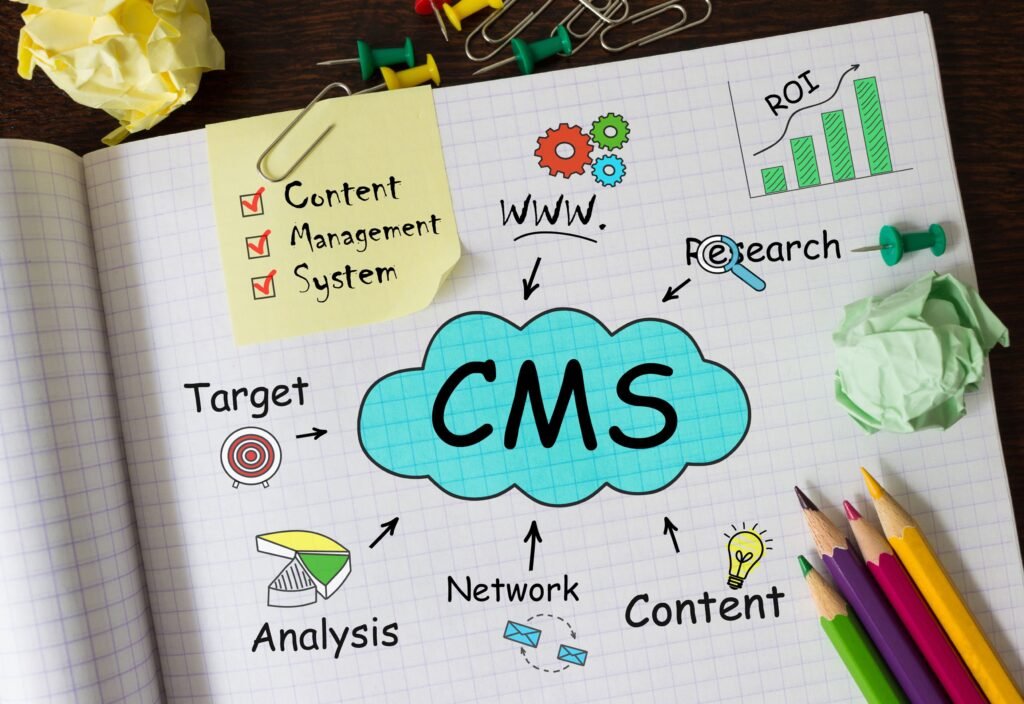
Building and maintaining a website once required editing individual HTML files, uploading them to a server, and repeating the process whenever information changed. A CMS replaces much of the manual website work with a central dashboard where users can draft, arrange, approve, and release content. However, learning content management systems involves more than memorizing where the “Publish” button is located. Beginners should understand how content is structured, how themes control presentation, how permissions protect administrative features, and how extensions add new capabilities. This guide explains the essential CMS concepts, platform types, practical skills, and learning steps beginners need to manage websites confidently. In this article, “learning content management systems” refers to learning how website CMS platforms work. It should not be confused with a learning content management system, or LCMS, used to create and manage training materials. What Is a Content Management System? A content management system, commonly called a CMS, is software that allows people to create and manage website content through an administrative interface. Instead of writing every page directly in code, an editor can sign in, enter text, upload images, assign categories, preview the page, and publish it. Meanwhile, the CMS stores that information and displays it through a selected design or template. Although platforms differ, most content management systems include: WordPress, for example, separates time-based posts from more permanent pages. It also uses themes to control presentation and plugins to extend the platform’s core publishing and user-management features. How Does a CMS Work? A traditional CMS usually has two connected sides. The administrative area allows approved users to create content, add media, organize navigation, manage extensions, and update site configurations. The public side is the website visitors see. When a visitor opens a page, the CMS retrieves the relevant content and combines it with a template. As a result, editors can update information without rebuilding the complete page design. For example, a restaurant manager could change opening hours in the dashboard. Once the update is published, the website would display the new schedule within the existing layout. However, beginners should understand that content, design, and functionality are different layers: CMS element Main purpose Content Stores text, images, videos, and other information Theme or template Controls layout and visual presentation Plugin or module Adds features beyond the core system User role Defines which areas and actions are available to each account Database Stores content, settings, and related records Understanding these layers makes troubleshooting much easier. For example, an incorrect page layout may be tied to the theme, whereas a form that stops working could be caused by an extension rather than the content on the page. What Types of CMS Platforms Should Beginners Know? Traditional CMS A traditional, or coupled, CMS manages content and displays the website through the same platform. WordPress and Drupal are well-known examples. These systems are useful for company websites, blogs, publications, community portals, and other projects where editors need an integrated publishing environment. Traditional platforms are generally the most approachable starting point because learners can see how content, menus, templates, and extensions work together. Hosted Website Platforms Hosted platforms combine a CMS, hosting, software updates, and visual design tools within one managed service. They can be easier to launch because the provider handles much of the technical infrastructure. However, customization, data portability, and extension choices may be more limited than with an independently hosted system. Headless CMS A headless CMS handles content creation and storage while leaving the user-facing design to a separate front-end system. Instead, it sends structured information to websites, mobile apps, displays, or other digital products through APIs. Contentful explains that a content model organizes information into reusable content types and fields. For example, an article may include separate fields for its headline, body, author, image, and publication date. This structure can support content reuse across several channels. Therefore, headless architecture can work well for organizations connecting websites with mobile applications or pwa solutions. Still, creating a fully functional headless setup usually requires beginners to first learn the basics of APIs and front-end development. Which CMS Concepts Should Beginners Learn First? Content Types and Fields Content should be organized according to what it represents. A CMS can store every blog article as a structured record containing separate details for its title, author, written copy, subject, primary image, and release date. A product entry might contain its title, overview, cost, availability, photos, and key technical details. Drupal describes content as entities made from individual fields that store specific kinds of information, such as text, dates, images, or files. Organizing content in this way helps maintain consistency across similar records while improving how easily they can be found, presented, and reused. Therefore, do not treat every page as one large text box. Instead, learn how content types, custom fields, categories, tags, and relationships work. Drafting and Publishing Workflows A CMS often supports more than two states of “published” and “unpublished.” Based on the CMS, content can pass through several statuses, including creation, editorial review, approval, scheduled release, publication, rejection, or archiving. In addition, revisions can help teams restore earlier versions after an incorrect change. Beginners should practice creating drafts, previewing pages, scheduling posts, updating existing content, and reviewing revision history before working on a live business site. Themes, Templates, and Layouts Themes determine how information appears, while templates control the structure of particular page types. For example, all blog posts may use one template, while service pages use another. Consequently, changing a template can affect many pages at once. Before changing any code, become familiar with the CMS tools that control page editing, reusable sections, navigation, site-wide elements, and mobile layouts. Moreover, test layout changes on phones and tablets rather than reviewing only a desktop preview. Plugins and Modules Extensions can add contact forms, search tools, ecommerce features, caching, analytics, security controls, and many other capabilities. However, installing too many extensions can introduce compatibility, maintenance, performance, or security problems. WordPress advises keeping plugins and themes updated and provides tools for
From Legacy to Agile: A Roadmap for Modernizing Your Enterprise Systems in 2026
Legacy systems often remain in place because they still perform essential work. They handle critical transactions, preserve long-term business records, produce compliance reports, and often rely on embedded rules that current employees may only partially understand. Yet these aging platforms often delay new releases, make system connections harder to maintain, create additional security risks, and demand an increasing portion of IT spending. Learning how to modernize legacy enterprise systems does not mean replacing every application at once. Instead, modernization involves deciding what to retain, improve, connect, rebuild, replace, or retire—and then delivering those changes without interrupting critical operations. In 2026, the strongest modernization programs are incremental, business-led, security-conscious, and measurable. What Does Legacy System Modernization Mean? Legacy modernization is the process of updating older applications, infrastructure, data, and operating practices so they can support current business needs. Depending on the system, this may involve: According to Google Cloud, legacy modernization involves reshaping aging technology so it can function through newer infrastructure, improved architecture, and updated software capabilities. However, cloud adoption alone does not guarantee agility. A rigid application moved unchanged to hosted infrastructure may still be difficult to release, test, and scale. Why Modernization Matters More in 2026 Enterprises now expect applications to support mobile access, real-time data, AI-assisted workflows, secure APIs, faster releases, and hybrid work environments. Meanwhile, older systems may depend on unsupported software, scarce programming skills, manual deployment processes, or tightly connected components. Platform engineering is also becoming more established. CNCF’s Q1 2026 research found that cloud-native delivery tools are maturing, while hybrid platform approaches are emerging to support both conventional applications and AI workloads. Therefore, enterprises modernizing today must prepare not only for current web and mobile services but also for more automated, AI-enabled operations. AI can also assist with code discovery, documentation, dependency analysis, and selected transformations. Still, generated changes require architectural review, security testing, and functional validation. Current modernization tools can accelerate parts of the work, but they do not remove the need to understand the business rules hidden inside legacy code. A Seven-Step Roadmap for Modernizing Legacy Enterprise Systems Build an Accurate Application Portfolio First, create an inventory of applications, databases, interfaces, infrastructure, vendors, users, and business owners. The inventory should answer practical questions: This discovery work is essential because technical diagrams are often incomplete. In addition, undocumented file transfers, scheduled jobs, employee spreadsheets, and manual workarounds may be part of the real production process. AWS recommends understanding an application’s pain points, workflows, capabilities, and dependencies before organizing modernization into delivery waves. Prioritize by Business Value and Technical Risk Next, rank systems rather than treating every legacy application as equally urgent. A practical scoring model can compare: Evaluation area Questions to consider Business importance Does the application support revenue, compliance, or critical operations? Technical risk Is the technology unsupported, unstable, or difficult to secure? Change demand How often do users request new features or integrations? Operating cost How much does maintenance, licensing, and infrastructure cost? Modernization effort How complex are the codebase, data, and dependencies? A high-risk payroll system may require stabilization before modernization. Conversely, a customer-facing application with high growth potential may deserve early investment because faster improvements could create visible business value. Microsoft’s current modernization guidance similarly recommends assessing readiness, skills, business value, and technical risk before deciding which workloads to address first. Choose the Right Strategy for Each System There is no universal migration path. Therefore, each application should receive a strategy based on its value, condition, and future role. Common options include: Microsoft presents advanced cloud modernization as a progression from adjusting the platform, to revising the codebase, to redesigning the application architecture, with each step requiring more effort but offering greater potential impact. Importantly, modernization does not require converting every application into microservices. A well-structured modular monolith may be easier to operate than dozens of small services with unclear ownership. Separate Legacy Functions Through APIs Many older systems contain reliable business logic and valuable information. Therefore, replacing them immediately may create more risk than benefit. An API layer can provide controlled access to selected functions while shielding newer applications from the legacy system’s internal structure. For example, a modern customer portal may retrieve account information through an API rather than connecting directly to an older database. Google Cloud notes that an API abstraction layer can separate client applications from changing backend services while adding security, analytics, and scalability controls. However, APIs should not simply expose every legacy limitation. Teams should establish ownership, versioning rules, authentication, usage limits, monitoring, and retirement plans. Replace Components Incrementally A large, one-time cutover can create unnecessary operational risk. Instead, many enterprises can modernize one business capability at a time. Under an incremental replacement model, new components are built around the older system. Traffic and responsibilities gradually move to the modern services until the legacy component is no longer required. For example, an enterprise might modernize customer registration first, followed by billing, notifications, reporting, and account management. Meanwhile, the original application continues handling functions that have not yet moved. AWS guidance recommends smaller release cycles when a complete cutover would threaten business continuity. Its more recent “leave-and-layer” approach also shows how organizations can add event-driven capabilities around a stable legacy core when immediate replacement is impractical. This approach reduces risk, although it requires careful control of temporary integrations and duplicated logic. Modernize Delivery, Security, and Operations New code running through old delivery practices will not create an agile enterprise. Therefore, modernization should also improve how software is tested, deployed, secured, monitored, and supported. Useful capabilities include: Microsoft recommends incremental development, source control, CI/CD, production-like testing, and reusable infrastructure definitions during modernization execution. Security should also move away from assumptions based only on network location. NIST’s zero-trust guidance centers access decisions on users, devices, assets, and resources, which is particularly relevant when enterprises operate across on-premises systems, cloud environments, partners, and remote workforces. Organizations should also inventory cryptographic dependencies. NIST advises identifying where quantum-vulnerable algorithms appear across hardware, software, and services so future post-quantum
End-to-End Digital Transformation: What It Really Means (And Why Your Business Needs It Now)
A company may adopt cloud software, automate a few reports, or launch a mobile app and still struggle with slow approvals, disconnected data, repeated manual work, and inconsistent customer service. That happens because adding digital tools is not the same as transforming the business. End-to-end digital transformation means redesigning an entire business journey—from the first customer interaction through internal operations, delivery, support, reporting, and continuous improvement. Instead of modernizing isolated departments, the organization connects its people, processes, data, and technology around shared business outcomes. As a result, information moves more reliably, employees spend less time correcting avoidable problems, and customers receive a more consistent experience. What Is End-to-End Digital Transformation? End-to-end digital transformation is a coordinated effort to improve complete business processes through modern technology, integrated data, updated operating practices, and organizational change. For example, consider an insurance claim. A narrow digital upgrade may simply shift claim submission from printed paperwork to an online entry form. However, an end-to-end program would also examine document collection, identity verification, case assignment, fraud screening, customer notifications, payment authorization, performance reporting, and post-claim support. Therefore, the goal is not simply to digitize one task. It is to improve how the entire outcome is delivered. Modern transformation frameworks also emphasize that technology adoption should begin with business objectives and continue through planning, implementation, governance, security, and ongoing management. Microsoft’s current Cloud Adoption Framework, for instance, organizes modernization around strategy, planning, readiness, adoption, governance, security, and operations rather than migration alone. How Is It Different From Regular Digitization? Although the terms are often used interchangeably, they describe different levels of change. Approach What it usually involves Typical outcome Digitization Capturing offline records in a computer-readable format Information once kept on paper becomes searchable digital content Digitalization Using software to improve an existing task A manual approval becomes an online workflow End-to-end transformation Redesigning the complete journey across teams and systems The full process becomes connected, measurable, and easier to manage Digitization can still be valuable. However, problems often remain when the surrounding process is unchanged. For instance, an online order form provides limited improvement when employees must manually copy its information into inventory, billing, and shipping systems. By contrast, end-to-end transformation addresses those handoffs directly. What Does an End-to-End Transformation Include? A Clear Business Outcome Transformation should begin with a defined problem rather than a preferred technology. The objective might be to reduce order fulfillment time, improve customer retention, lower service costs, increase reporting accuracy, or shorten product launch cycles. Once the intended result is clear, teams can identify which parts of the business journey prevent that result today. This approach also helps control scope. Otherwise, a transformation program can become a long list of software purchases without a clear measure of success. Complete Process Redesign The organization should then review the entire workflow from its starting point through final completion. That includes customer actions, employee tasks, approvals, system updates, exceptions, delays, and duplicated work. In many cases, the largest problems appear between departments rather than inside them. For instance, sales may capture customer details in a format that the operations team cannot easily apply. Finance may then request the same details again, while customer service may not be able to see either department’s records. Therefore, process redesign should remove unnecessary steps before they are automated. Automating a poorly designed workflow usually makes the same problems move faster. Connected and Governed Data End-to-end digital transformation depends heavily on accurate, well-managed, and accessible business data. Customer names, product details, financial records, inventory levels, and service histories may exist in several systems with different formats or definitions. Consequently, reports conflict, employees repeat data entry, and automated decisions become less trustworthy. An effective data strategy establishes ownership, quality requirements, access rules, metadata, retention policies, and approved methods for sharing information. NIST’s work on data governance also stresses the need to connect data management with privacy, cybersecurity, and AI risk rather than treating each area as a separate program. However, this does not necessarily require placing every record in one database. APIs, integration platforms, event-driven systems, and governed data services can allow different applications to exchange information without creating another large migration project. Modern and Flexible Technology Legacy systems often contain valuable business logic, but they may be expensive to change or difficult to connect with newer applications. Therefore, modernization may involve cloud platforms, modular applications, APIs, workflow automation, mobile tools, data platforms, or selective replacement of outdated systems. The right choice depends on the organization’s risk, budget, architecture, and operational needs. In some cases, a full system replacement is justified. In others, a phased approach is safer. For example, a company may expose useful legacy functions through secure APIs while gradually moving individual services to a modern platform. Cloud architecture guidance also recommends balancing operational performance, security, reliability, cost, and continuous improvement instead of treating cloud migration as the final objective. Customer-Centered Digital Experiences End-to-end transformation should make life easier for the people using the service. Customers may interact through websites, mobile apps, email, support teams, physical locations, and connected devices. Yet they still expect the business to remember their information and maintain context across those channels. As a result, organizations should evaluate the full customer journey, including discovery, registration, purchasing, onboarding, support, renewals, and account management. User-centered digital services should be accessible, secure, mobile-friendly, consistent, searchable, and designed around actual user needs. Those principles also appear in current public-sector digital experience requirements reviewed by the U.S. Government Accountability Office. However, adding more channels is not always the answer. A smaller number of connected, dependable experiences is usually more useful than several poorly maintained applications. Security and Governance by Design Transformation expands the number of applications, data flows, users, devices, vendors, and automated actions an organization must manage. Therefore, security cannot be added after development. Identity controls, least-privilege access, encryption, monitoring, privacy requirements, backup procedures, and incident response should be included from the beginning. CISA’s Zero Trust Maturity Model organizes security planning around identity, devices, networks, applications and
Digital Transformation in 2026: 7 Tech Trends Every Business Should Prepare For
Digital transformation in 2026 is no longer about replacing paper forms with software or moving a few systems into the cloud. Instead, businesses are redesigning how decisions are made, how employees work with AI, how applications are delivered, and how technology investments create measurable value. The leading digital transformation trends now connect artificial intelligence, trusted data, cloud-native infrastructure, cost governance, cybersecurity, and connected experiences. However, organizations do not need to adopt every emerging technology immediately. They need to understand which developments can solve real operational or customer problems. What Are the Top Digital Transformation Trends in 2026? The seven major trends businesses should prepare for are: Trend Business impact Agentic AI Automates multi-step business workflows AI governance Controls risk, accuracy, access, and accountability AI-ready data Gives AI systems dependable business context Platform engineering Speeds up secure software delivery FinOps for AI Connects technology spending with business value Identity-first security Protects users, systems, data, and AI agents Edge intelligence Supports faster, connected, cross-device experiences These trends overlap. For example, an AI agent requires approved data, secure identities, monitored infrastructure, and clear spending controls. Therefore, companies should treat transformation as one coordinated business program rather than a collection of unrelated software purchases. Agentic AI Will Move From Assistance to Execution In 2025, many employees used generative AI to summarize documents, draft messages, or search for information. In 2026, businesses are moving toward AI agents that can plan tasks, use approved tools, coordinate steps, and complete parts of a workflow. Microsoft’s 2026 Work Trend Index analyzed trillions of anonymized workplace signals and surveyed 20,000 people who use AI at work across 10 countries. The report highlights a growing shift toward workflows in which people direct AI agents rather than completing every operational step manually. For example, an agent may review a customer request, search an internal knowledge base, prepare a response, update a CRM record, and route the case for approval. Likewise, software teams may use agents to examine code, suggest tests, document changes, and identify security issues. However, agentic AI should not be treated as unsupervised automation. Businesses still need permission boundaries, human review points, activity logs, and escalation rules. A practical ai based transformation program should begin with one clearly defined workflow. Then, the business can measure time saved, error reduction, user adoption, and the quality of completed work before expanding the system. AI Governance Will Become an Operating Requirement As AI becomes more capable, governance can no longer remain a policy document that few employees read. Instead, it must become part of system design, procurement, testing, deployment, and daily operations. The NIST AI Risk Management Framework helps organizations address trustworthiness throughout the design, development, use, and evaluation of AI systems. In addition, its generative AI profile outlines risks and risk-management actions that organizations can adapt to their goals and resources. Regulation is also influencing business planning. Major provisions of the EU AI Act affecting high-risk AI systems are scheduled to become applicable in August 2026, while the European Commission continues to publish guidance on classifications, transparency, incident reporting, and responsibilities across the AI value chain. Therefore, businesses should maintain an inventory of AI systems, including tools adopted independently by departments. Each system should have an owner, an approved purpose, known data sources, documented limitations, and defined review procedures. Moreover, companies should evaluate outputs instead of assuming that a model is reliable because it performs well during a demonstration. Accuracy, fairness, security, privacy, cost, and response consistency should all be tested against realistic scenarios. AI-Ready Data Will Matter More Than Model Size A powerful AI model cannot reliably answer business questions when the underlying information is outdated, duplicated, incomplete, or poorly organized. Consequently, data modernization in 2026 is shifting from simply collecting more information to creating usable business context. That includes consistent definitions, metadata, access controls, data lineage, quality monitoring, and ownership. For example, a customer-support agent may need product documentation, account history, policy rules, and recent service updates. If those sources disagree, the agent may produce a confident but incorrect response. Enterprise research published in 2026 also points to growing attention around database transformation, AI evaluation, and governance as companies move toward multi-agent and multi-model environments. Therefore, businesses should identify which datasets support their highest-value workflows. Next, they should define who maintains each dataset, how frequently it is updated, and which people or systems may access it. In addition, companies should avoid placing every document into an AI search system without preparation. Sensitive records may require exclusion, while outdated files may need archiving. Better retrieval begins with better information management. Platform Engineering Will Support Faster, Safer Delivery Cloud transformation is entering a more disciplined stage. Instead of giving every software team a collection of disconnected tools, organizations are creating internal platforms that provide approved ways to build, test, secure, and release applications. The CNCF’s Q1 2026 research found that platform engineering tools are maturing as organizations prepare infrastructure for AI-driven workloads. The research also identified hybrid platform approaches as an emerging model for supporting AI alongside existing application environments. A useful internal platform may provide reusable deployment templates, identity controls, monitoring, security checks, data services, and cost information. As a result, developers can spend less time assembling infrastructure for every project. However, a platform should function like a well-designed product. If it is difficult to use, poorly documented, or slower than existing processes, development teams will work around it. Smaller organizations do not necessarily need a large internal platform. Instead, they can use focused mvp solutions to test a product idea with a manageable architecture before investing in more complex infrastructure. FinOps Will Expand From Cloud Costs to AI Value AI workloads create new cost questions. Expenses may depend on tokens, models, storage, data movement, accelerators, agent activity, and third-party services. As a result, standard monthly cloud-cost reports may not reveal which AI capabilities are actually delivering measurable returns. The State of FinOps 2026 reports that 98% of its respondents now manage AI spending, compared with 63% in 2025.