
How to Conduct IoT Penetration Testing
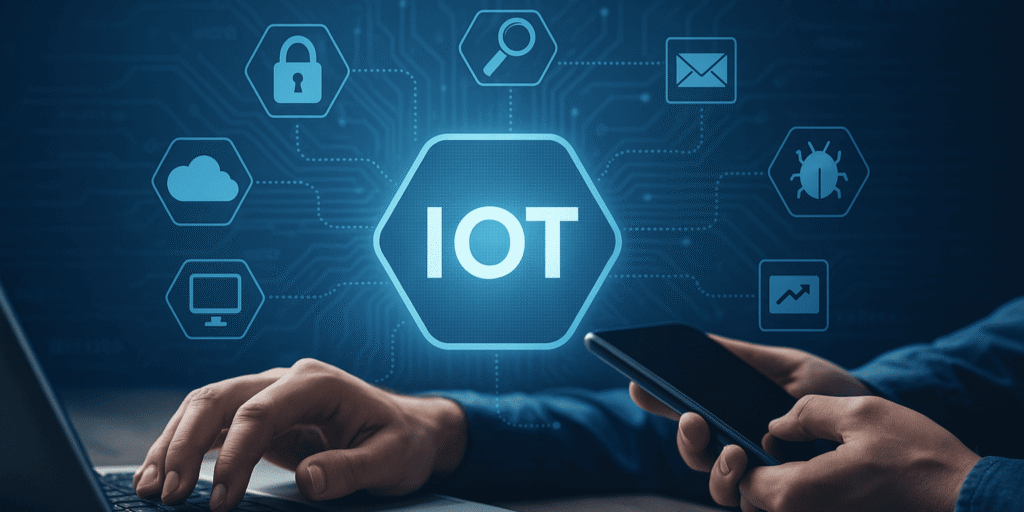
An Internet of Things product is rarely just one device. It may include embedded firmware, wireless connections, a mobile application, cloud APIs, an administrative portal, third-party services, and an update system. As a result, testing only the device’s web interface can leave major security gaps undiscovered. IoT penetration testing is an authorized security assessment that examines how an attacker could misuse weaknesses across the connected product’s entire ecosystem. Unlike a basic vulnerability scan, it does not stop after listing outdated software or exposed services. Instead, testers carefully validate whether separate weaknesses can create a realistic path to unauthorized access, data exposure, device manipulation, or disruption. The process must always begin with written permission, a defined scope, and agreed safety limits. Connected devices may control locks, machinery, medical equipment, vehicles, or environmental systems. Therefore, careless testing can create physical consequences, interrupt operations, or damage hardware. What Is IoT Penetration Testing? IoT penetration testing is an authorized security review that evaluates a connected product and its surrounding infrastructure for weaknesses an attacker could realistically exploit. A typical assessment may cover: OWASP’s IoT Security Testing Guide organizes testing around areas such as processing units, memory, firmware, data-exchange services, internal interfaces, physical interfaces, wireless communication, and user interfaces. This broader model reflects the fact that a weakness in one component may affect the security of the entire product. Why Is IoT Security Testing Different? A standard web application usually operates inside environments controlled by the business. By contrast, an IoT device may sit in a customer’s home, a factory, a vehicle, or an unattended outdoor location. In many cases, an unauthorized person can physically reach it. Furthermore, embedded products often have limited processing power, memory, battery capacity, and update options. Those constraints can influence encryption, monitoring, storage, and patching decisions. ETSI’s consumer IoT security standard specifically recognizes that connected products may face limitations involving energy, bandwidth, processing capacity, and memory. Consequently, an effective assessment must evaluate more than network exposure. It should consider what happens if someone obtains the device, intercepts its traffic, modifies its firmware, steals a user token, compromises the cloud account, or abuses an associated application. Secure Written Approval and Establish Clear Testing Boundaries Before any testing begins, clearly define which devices, systems, interfaces, and actions fall within the approved scope. The approved test boundaries should specify the exact hardware versions, firmware builds, companion apps, web domains, APIs, communication methods, cloud systems, test credentials, and physical connection points included in the assessment. It should also clarify whether testers may open the enclosure, alter firmware, interrupt connectivity, reset devices, or access production data. In addition, establish: A production-connected device should not be treated like an isolated lab unit. Whenever possible, use a representative test environment containing non-sensitive data. NIST recommends planning security examinations carefully, analyzing findings, and developing mitigation strategies rather than treating penetration testing as uncontrolled experimentation. Map the Complete IoT Ecosystem Next, build a clear system map that shows how the device, applications, services, and data flows work together in practice. Create a full inventory of the product’s hardware, storage, connection points, sensors, wireless modules, firmware, companion apps, cloud services, APIs, authentication systems, databases, and external integrations. Then trace the information moving between them. For each connection, ask: This stage often exposes assumptions before active testing begins. For example, a device may appear to communicate only with the vendor’s cloud, while packet observation reveals additional analytics, update, or notification services. The architecture map also supports threat modeling. Instead of testing every component with equal intensity, the team can prioritize areas that control safety, sensitive data, user identity, firmware updates, or large device fleets. Examine Hardware and Physical Interfaces Physical inspection helps testers understand how the device was assembled and which maintenance or debugging paths remain accessible. The assessment may review external ports, removable storage, circuit-board markings, test pads, debug headers, serial connections, and memory components. However, the purpose is not to damage the product. Rather, it is to determine whether physical access could expose confidential information, administrative functions, cryptographic material, or an unrestricted maintenance interface. Important questions include: NIST’s IoT baseline includes logical access restrictions for local and network interfaces, authorized configuration changes, data protection, secure software updates, and awareness of the device’s cybersecurity state. These security functions offer a practical benchmark for evaluating hardware and embedded components during testing. Analyze Firmware and the Update Process Firmware security testing should examine both the installed software and the route used to deliver future versions. Testers first identify the operating system, libraries, services, configuration files, certificates, credentials, and protection mechanisms present in the firmware image. They also look for unnecessary services, insecure defaults, sensitive information stored in readable form, outdated components, weak permissions, and undocumented functionality. However, the update mechanism deserves equal attention. A secure product should be able to confirm that an update came from an authorized source and that its contents were not altered. Furthermore, the system should prevent unauthorized users from initiating updates or installing unapproved images. The assessment should ask whether: NIST identifies authenticated, authorized, and configurable software updates as a core IoT security capability. Its revised foundational guidance, published in April 2026, also emphasizes building cybersecurity considerations into product development and support rather than leaving customers to manage the risk alone. Test Network and Wireless Communications The next phase examines how the device communicates locally and remotely. Testers observe normal traffic first so they can understand protocols, endpoints, pairing behavior, session establishment, and error responses. Afterward, they evaluate whether the device properly authenticates peers, protects transmitted information, rejects unauthorized commands, and handles malformed or unexpected input safely. The review should cover all relevant channels, including Wi-Fi, Bluetooth, cellular links, short-range radio protocols, Ethernet, and local discovery services. Key concerns include: Testing should remain controlled. Flooding, aggressive fuzzing, or repeated connection attempts may freeze a constrained device or affect neighboring systems. Therefore, such activities require explicit approval and conservative limits. Assess Cloud APIs, Apps, and Administrative Portals Many serious IoT weaknesses exist outside the physical product. A
Mobile App Testing and QA – Why Automated Testing Is No Longer Optional
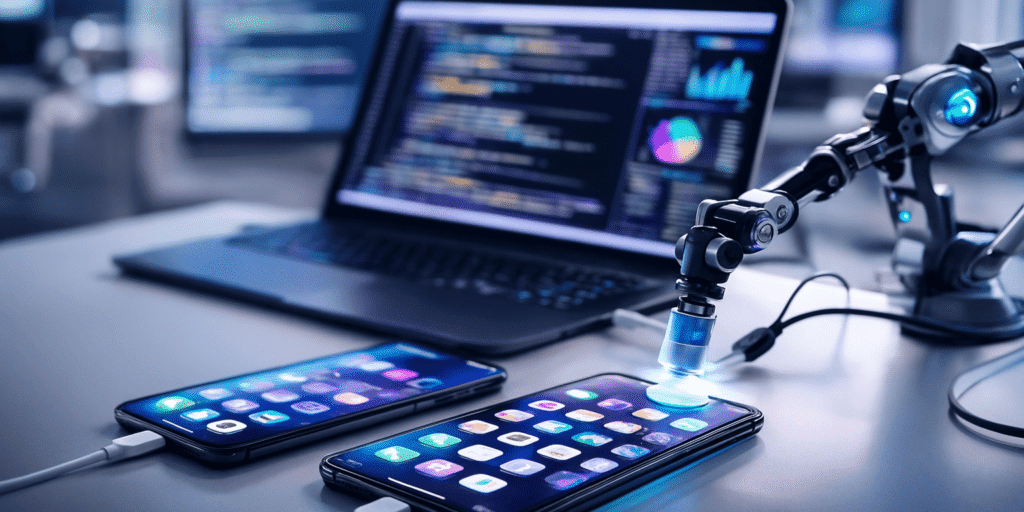
A mobile app can appear perfectly stable during a team demonstration and still fail minutes after reaching real users. A payment screen may break on one operating-system version, a layout may shift on a smaller device, or a login update may quietly damage an unrelated feature. That is why mobile app testing and QA can no longer be treated as a final checkpoint before release. Modern applications change too frequently, depend on too many external services, and run across too many device configurations for manual testing alone to provide dependable coverage. Automated testing does not remove the need for human judgment. Instead, it repeatedly checks predictable behavior so testers can spend more time investigating usability, unexpected conditions, security risks, and situations that require interpretation. What Is Mobile App Testing and QA? Mobile quality assurance is the broader process of evaluating whether an application meets technical requirements, business expectations, and user needs. Testing is one part of that process. A complete mobile QA strategy may examine: Automated mobile testing uses scripts and testing frameworks to perform selected checks without requiring a person to repeat each action manually. For example, an automated test can open an app, sign in, add an item to a cart, complete a payment in a test environment, and confirm that the correct screen appears. Apple’s XCTest framework supports unit, performance, and user-interface testing, while XCUIAutomation allows tests to control an application’s interface and verify its state. Android provides local and instrumented testing tools for evaluating both isolated code and behavior on devices or emulators. Why Manual Testing Alone Is No Longer Enough Manual testing remains valuable because people notice confusing language, awkward navigation, unclear feedback, and visual problems that scripts may overlook. However, it becomes inefficient when the same essential checks must be repeated after every code change. Suppose an application has 20 critical workflows and supports multiple device sizes, operating-system versions, account types, and languages. Even a modest set of combinations can create hundreds of test scenarios. If testers repeat all of them by hand before every release, feedback arrives slowly and important combinations may still be missed. Automation changes that equation. Once reliable tests are created, teams can run them whenever code is updated. As a result, defects can be found closer to the moment they are introduced rather than days later during final verification. Android’s official testing guidance identifies rapid feedback, regression detection, and compatibility validation as major benefits of automated testing. It also recommends a scalable strategy that uses many focused, inexpensive tests alongside a smaller number of broader device-based checks. Regression Risk Grows with Every Release A regression occurs when a new change damages something that previously worked. The new feature itself may behave correctly while producing an unintended effect elsewhere. For instance, changing the authentication process may disrupt saved sessions. Updating a checkout screen may break discount calculations. Likewise, modifying an API response may prevent older app versions from loading user data. Because mobile products are continuously revised, regression testing cannot be reserved for major releases. Automated suites can rerun essential checks after every meaningful update and warn the team when established behavior changes. This is one reason businesses reviewing quality assurance services should ask how regression coverage is designed, maintained, and connected to the release process—not simply how many test cases will be written. Device and Operating-System Differences Create Hidden Failures Mobile applications do not operate in one uniform environment. Android products may run across numerous manufacturers, screen sizes, hardware profiles, and operating-system versions. Although Apple controls both iOS and iPhone hardware more closely, applications still need to support different device generations, screen dimensions, permissions, and system releases. Testing every combination manually is rarely practical. Therefore, teams usually create a device matrix based on user data, market priorities, technical risk, and minimum supported versions. Cloud testing platforms can extend that coverage. Firebase Test Lab, for example, allows Android and iOS applications to run on hosted physical and virtual devices. Consequently, teams can uncover problems tied to specific device configurations without maintaining a large internal hardware collection. Automation does not mean running every test on every available phone. Instead, teams can use a layered approach: fast checks on each code update, broader emulator testing at scheduled intervals, and selected real-device tests before release. Automated Testing Supports Continuous Delivery Modern development teams often integrate smaller code changes throughout the project instead of postponing everything for one major release. That process only remains safe when changes receive fast, repeatable validation. Continuous integration systems automatically build and test an application after developers submit changes. If a test fails, the team receives feedback before the faulty update moves further through the release pipeline. Android’s CI guidance explains that automated builds and tests can prevent changes that break the application from being merged or released. A practical pipeline may run: Therefore, test automation is not merely a QA department tool. It becomes part of the engineering system that controls whether software is ready to move forward. Which Mobile Tests Should Be Automated? Not every test deserves automation. The best candidates are repeatable, objective, important, and likely to be performed many times. Unit Tests Unit tests examine small pieces of logic, such as calculations, validation rules, or data transformations. Since they run quickly, they can provide early feedback without opening the complete application. Integration Tests Integration tests confirm that separate components work together. They may test communication between the mobile app and an API, authentication service, payment system, or local database. UI and End-to-End Tests UI tests reproduce user actions across screens. They are useful for critical workflows such as registration, password recovery, checkout, booking, or profile updates. However, UI tests are slower and more sensitive to interface changes. Therefore, teams should reserve them for high-value journeys rather than trying to automate every possible tap. Appium provides a cross-platform automation ecosystem that can control interfaces on iOS, Android, browsers, and other platforms through a broadly consistent API. Meanwhile, native tools such as XCTest and Android testing
AI-Powered Automation: Boosting Efficiency Across Industries

Traditional automation works best when every step can be written as a fixed rule. AI changes that model. Instead of only following predetermined instructions, an AI-enabled system can interpret language, recognize patterns, estimate likely outcomes, and recommend or trigger the next action. That difference is driving wider business adoption. Stanford’s 2025 AI Index reported that 78% of surveyed organizations used AI in 2024, compared with 55% one year earlier. However, adoption alone does not guarantee improvement. AI delivers meaningful results when it is applied to a specific process, supported by accurate data, guided by human judgment, and tied to clear performance targets. This is the central idea behind AI-powered automation and scale: using intelligent systems to handle growing workloads without increasing cost, delay, and manual effort at the same rate. What Is AI-Powered Automation? AI-powered automation combines process automation with technologies such as machine learning, natural language processing, computer vision, predictive analytics, and generative AI. A conventional automation tool might send an invoice whenever an order reaches a specific status. By comparison, an AI-assisted system could read an emailed purchase order, identify missing information, compare it with previous transactions, flag unusual terms, and route the document to the correct employee. The system is not merely repeating a recorded sequence. Instead, it is interpreting information before deciding how the workflow should continue. Traditional automation AI-powered automation Works from fixed rules Uses rules, patterns, and model predictions Requires structured inputs Can process text, images, speech, and sensor data Handles predictable tasks Supports tasks containing limited uncertainty Breaks when conditions change Can adapt within defined boundaries Escalates exceptions manually Can classify and prioritize exceptions Still, AI should not be treated as unlimited autonomy. High-impact decisions involving safety, employment, lending, healthcare, or legal rights often require human review and stronger controls. How AI-Powered Automation and Scale Work Together Scaling a manual process usually means hiring more people to process more requests. AI can change that relationship by absorbing repetitive analysis, sorting large information volumes, and helping employees focus on exceptions. For example, a customer-support team may receive 1,000 questions one month and 10,000 several months later. Without automation, response times may increase unless the company expands staffing. With a well-designed AI layer, routine questions can receive immediate answers while unusual, sensitive, or high-value cases move to human agents. However, scale does not simply mean processing more work. It can also mean: OECD research suggests that generative AI can improve productivity, support innovation, and lower barriers for some business activities. Nevertheless, its effectiveness varies according to the task, the worker’s experience, and the quality of human-AI collaboration. Where Is AI Automation Creating Value? Manufacturing and Workplace Safety Manufacturers can combine machinery data, cameras, connected sensors, and production records to identify unusual conditions before they become expensive failures. AI may assist with predictive maintenance, quality inspection, production planning, energy monitoring, and workplace safety. For instance, computer vision can identify whether restricted areas are occupied, while IoT sensors can detect temperature, vibration, gas, or equipment changes. The U.S. Department of Energy explains smart manufacturing as the modernization of conventional factory operations through tools such as artificial intelligence, connected systems, and automated processes. It also highlights real-time monitoring, lower operating costs, improved productivity, and reduced industrial energy use as potential benefits. This approach is demonstrated in the case study focused on improving textile worker safety through AI and IoT. The system combined intelligent monitoring with connected devices to support real-time hazard detection, automated surveillance, and earlier risk identification. Importantly, the goal was not to remove safety personnel. Instead, the technology helped them observe a wider environment and respond sooner. Healthcare In healthcare, AI automation can help organize records, prioritize imaging studies, summarize clinical information, support scheduling, and identify patterns that require professional attention. However, healthcare automation carries greater consequences than routine office workflows. A system that drafts an internal note does not create the same risk as one influencing diagnosis or treatment. Therefore, data quality, clinical validation, privacy, explainability, and human review must reflect the specific use case. The FDA maintains a regularly updated list of AI-enabled medical devices authorized for marketing in the United States. Its guidance emphasizes safety, effectiveness, transparency, and lifecycle management rather than treating approval as a one-time technical event. Finance and Insurance Banks, insurers, and financial teams use intelligent automation to process documents, review transactions, detect anomalies, support claims handling, and assist compliance work. Natural language processing can identify and organize relevant details from documents such as financial statements, policy files, and application forms. Meanwhile, machine learning can highlight patterns that deserve investigation. Organizations exploring ml related services may use these capabilities for forecasting, risk scoring, classification, or anomaly detection. Still, automated recommendations must be monitored for bias, data drift, false positives, and inconsistent treatment. Human review remains particularly important when an output could affect credit, coverage, fraud investigations, or access to financial services. Retail, E-Commerce, and Customer Service Retailers can apply AI to demand forecasting, product recommendations, inventory planning, customer segmentation, and service operations. For example, an intelligent support system can determine whether a customer is asking about delivery, refunds, product compatibility, or account access. It can then retrieve relevant information, answer routine questions, or send the issue to a specialized employee. The VertexAI-Chat – Smart Business AI Chatbot case study shows how conversational automation can support service discovery, project intake, real-time answers, and meeting scheduling within one experience. Because the chatbot connects with business information and calendar workflows, it does more than generate conversation. It helps move a customer from a question toward an appropriate next step. Businesses considering nlp based solutions should focus on whether the system understands the company’s actual terminology, routes uncertain requests correctly, and gives users an easy way to reach a person. Travel and Hospitality Travel planning contains a difficult mix of preferences, timing, location data, budgets, and changing availability. Consequently, it is well suited to AI assistance but poorly suited to rigid one-size-fits-all automation. Triploom – AI Travel Assistant demonstrates this use case. The