
Android System Intelligence – Features, Benefits, and What It Actually Does
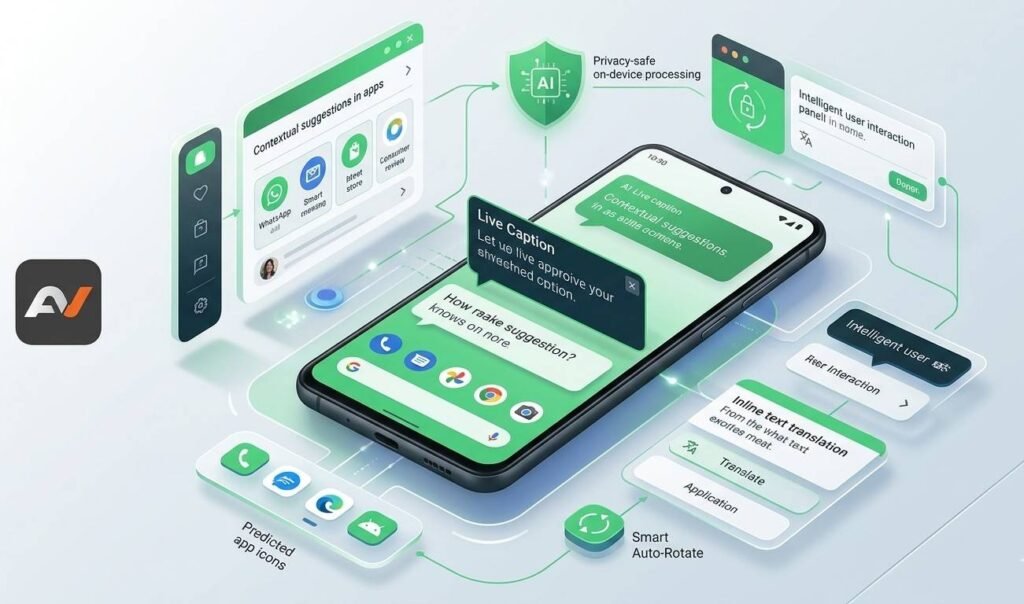
If you’ve looked through your Android settings or app list and noticed Android System Intelligence, you’re not alone in wondering what it is. For many users, it sounds technical, vague, and easy to ignore. However, this system component plays a much bigger role than its name suggests. In simple terms, android system intelligence helps power many of the smart, helpful features people use on Android phones without always realizing it. While it does not usually work like a normal app that you open and use directly, it supports features that make the phone feel more responsive, predictive, and personalized. Google describes it as a system component within Private Compute Core that powers intelligent features across Android while helping keep data private. So, if you’ve been asking what is android system intelligence, how it works, or whether it matters, this guide breaks it down clearly. It also explains what the android system intelligence app actually does, which features it supports, and why it matters for both users and businesses. What Is Android System Intelligence? The short answer is this: android system intelligence is a built-in Android system component that supports smart features on your phone. Google says it powers intelligent features across Android and runs inside a secure environment called Private Compute Core. That matters because these features often rely on personal context, such as what’s on your screen, how you use your phone, and the kinds of tasks you perform regularly. Unlike a regular mobile app, it is not designed to be a standalone product. Instead, it works in the background to support features across the system. That is why many users notice its name but are unsure how to “use” it directly. In reality, you experience it through the smart functions it enables rather than through a single interface. Google’s Pixel Help documentation lists features such as Live Caption, Screen Attention, Smart Auto-Rotate, improved copy and paste, app predictions, and notification management as examples of what it powers. Why It Exists Android has gradually become more focused on useful on-device intelligence. Instead of sending every interaction to the cloud, Google has built more features to work locally and privately. That is where Android System Intelligence fits in. It helps support contextual actions and smart suggestions while keeping sensitive processing within a more secure environment. Google specifically notes that Private Compute Core components do not have direct network access, and that private compute services acts as a secure bridge to the cloud when needed. This is important because users want smarter devices, but they also want stronger privacy. So rather than forcing a tradeoff between convenience and security, Android is trying to deliver both. In that sense, Android System Intelligence is part of the broader shift toward on-device intelligence. What Does Android System Intelligence Actually Do? This is where the feature becomes easier to understand. Instead of asking what the component is in isolation, it helps to ask what it enables. According to Google’s help documentation, Android System Intelligence supports a range of smart system features, including: So, when people ask what the android system intelligence app does, the real answer is that it powers several of these features behind the scenes. Key Features of Android System Intelligence Live Caption One of the best-known features is Live Caption. This automatically adds captions to media on your device. That can be especially helpful for accessibility, quiet environments, or situations where audio is difficult to hear clearly. Google lists Live Caption as one of the main features powered by Android System Intelligence. Smart Auto-Rotate Another useful feature is Smart Auto-Rotate. Instead of rotating the screen based only on device position, Android can also detect the orientation in which you are holding your phone. This makes screen rotation feel more natural and less annoying in everyday use. Screen Attention Screen Attention helps prevent the display from turning off while you’re looking at it. Although that may sound small, it improves usability during reading, browsing, and viewing content hands-free. Smart Text Selection and Linkify Android System Intelligence also helps with Smart Text Selection and Linkify. This means the system can recognize information like addresses, phone numbers, or useful text patterns and make them easier to act on. For example, selecting an address can lead directly to map directions. Likewise, plain text can be turned into tappable links where appropriate. App Predictions and App Search Another way Android uses intelligence is by predicting what app you may want next. Google says launcher app predictions and App Search are part of what Android System Intelligence supports. As a result, your device can feel faster and more personalized, even if you don’t always notice the system working in the background. Live Translate On supported devices, Live Translate is one of the more impressive examples of this system. Google’s support pages explain that Live Translate can translate live text conversations and videos, and on Pixel devices, Voice Translate can also translate your speech in real time in supported languages and regions. This is a strong example of how Android System Intelligence contributes to smarter user experiences without requiring users to manually control every step. Now Playing Google also includes Now Playing among supported intelligent features. This lets certain devices recognize music playing around you without you needing to ask for it directly. Again, it is not something users “launch” through Android System Intelligence, but it is powered by the same background intelligence layer. Is Android System Intelligence a Real App? Technically, yes — but not in the way most people think of an app. The term android system intelligence app can be confusing because it appears in app/system lists, yet it is really more of a system-level service component than a conventional app. You usually do not open it the way you would open Gmail, Maps, or Photos. Instead, it exists so Android can power a collection of smart features in the background. Google’s support materials consistently describe it as a system component, not a consumer-facing app