Upcoming Android Update: What Users and Businesses Should Expect
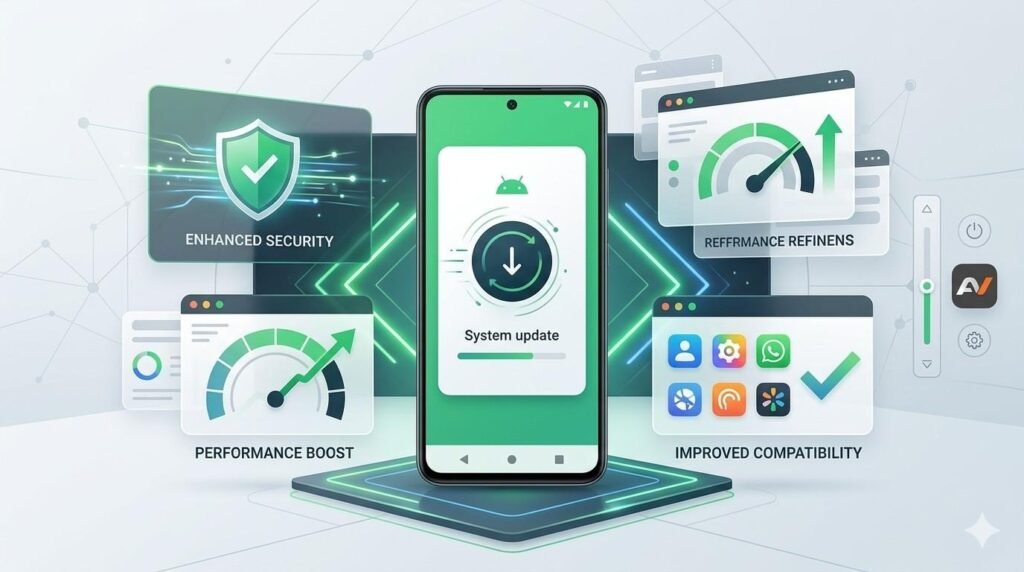
Every major Android release brings the same question: what will actually change for people who use Android phones every day, and what should businesses do to prepare? The answer matters more now because Android updates no longer affect only visual tweaks or background improvements. They increasingly shape app behavior, security expectations, device compatibility, and how companies plan mobile experiences. As of now, Android 16 is the latest stable release, while Android 17 Beta 4 is already available for testing, and Google says the final stable release is expected later this year. So, when people search for the Upcoming Android Update, they usually want two things. First, they want to know what new features or changes may affect their daily experience. Second, they want to understand whether those changes will affect apps, workflows, and business systems. That is exactly why this topic matters. Android updates are no longer just consumer events; they are also platform events that can affect app teams, product managers, and businesses that depend on mobile tools. What Is the Upcoming Android Update? Right now, the upcoming major Android release is Android 17. Google’s Android Developers site shows Android 17 Beta 4 as the latest scheduled beta, and the Android Developers Blog says the stable release will arrive later in 2026. At the same time, Android 16 remains the latest stable version currently available to developers and users. That means Android 17 is the next major version businesses and users should be watching closely. This is important because the update is already far enough along that businesses should not treat it as distant or hypothetical. In fact, Google says Android 17 Beta is available to both developers and users, and the platform has already reached major testing milestones. Beta 3 reached platform stability in March 2026, which means the API surface is locked, while Beta 4 is positioned as the last scheduled beta before the final release. What Users Should Expect From the Upcoming Android Update For everyday users, the next Android version appears to focus less on dramatic cosmetic change and more on refinement, adaptability, privacy, security, and performance. Google describes Android 17 as continuing work around privacy, security, refined performance, camera and media improvements, connectivity tools, and expanded companion device support. In other words, this update seems designed to improve how Android works across different device types and usage patterns rather than chasing surface-level novelty alone. Users should also expect Android to keep becoming more adaptable across tablets, foldables, and larger screens. One of the clearest changes in Android 17 is Google’s continued push toward large-screen adaptability. According to the release notes, apps targeting Android 17 on large-screen devices can no longer opt out of resizing or orientation changes in the same way they could before. Although that sounds technical, the user-facing result is simple: Google wants apps to behave more naturally across different screen sizes and device postures. Beyond that, Android 17 includes some visible feature-level changes. Beta 2 introduced broader bubble support, allowing users to bubble any app by long-pressing launcher icons, and large-screen devices gain a bubble bar in the taskbar for easier management. Beta 2 also added a new EyeDropper API that lets apps capture pixel colors from anywhere on the display without requiring screen capture permissions. While that second feature is more developer-facing, it can eventually translate into smoother creative, design, and productivity experiences for users. What Businesses Should Expect For businesses, the biggest impact of the upcoming Android update is not just feature exposure. It is platform readiness. As Android evolves, app behavior, layout rules, testing requirements, and compatibility expectations also change. That means companies with internal apps, customer-facing apps, or Android-based workflows should pay close attention before the stable release arrives. Google explicitly recommends testing app compatibility on the Android 17 Beta and releasing any needed updates. One major business takeaway is that Android 17 keeps pushing toward better support for larger screens and more adaptive app layouts. For teams that have not yet optimized their apps for tablets, foldables, and multi-window environments, this update raises the importance of doing so. Google’s Beta 1 notes explain that on large screens, apps targeting API level 37 can no longer depend on older manifest attributes like screenOrientation, resizeableActivity, minAspectRatio, and maxAspectRatio in the same way as before. That means app teams may need to revisit UI assumptions, especially if they built around phone-only behavior. Another change businesses should notice is the shift in testing and release preparation. Google has moved away from the older Developer Preview approach and introduced a continuous Canary model. According to the Android Developers Blog, the idea is to give developers faster access to changes, better beta stability, and easier testing through over-the-air updates and CI-friendly workflows. For businesses, that means Android planning may become more continuous rather than tied to older milestone habits. Why This Update Matters for App Teams The Upcoming Android Update matters because app teams cannot wait until the final release to respond. Once platform stability is reached, the final SDK and NDK APIs are effectively locked, and Google expects developers to use that window for final compatibility work. That is especially important for businesses that rely on customer apps, internal productivity tools, or mobile workflows tied to sales, logistics, operations, or support. This is also where planning around android apps development becomes more practical than theoretical. Businesses that already invest in Android products should use beta periods to test layouts, monitor behavior changes, review large-screen support, and confirm that user flows still work smoothly. Otherwise, even a stable app can feel outdated or inconsistent once the new Android version becomes widely available. Key Changes Businesses Should Watch Closely One area worth watching is configuration handling. Android 17 changes how certain configuration changes behave by default. The release notes say the system no longer restarts Activities by default for several specific configuration changes, including keyboard, navigation, touchscreen, and some UI mode changes. For users, that may mean a smoother experience. However, for